




 Satisfaction Guarantee
 Support Guarantee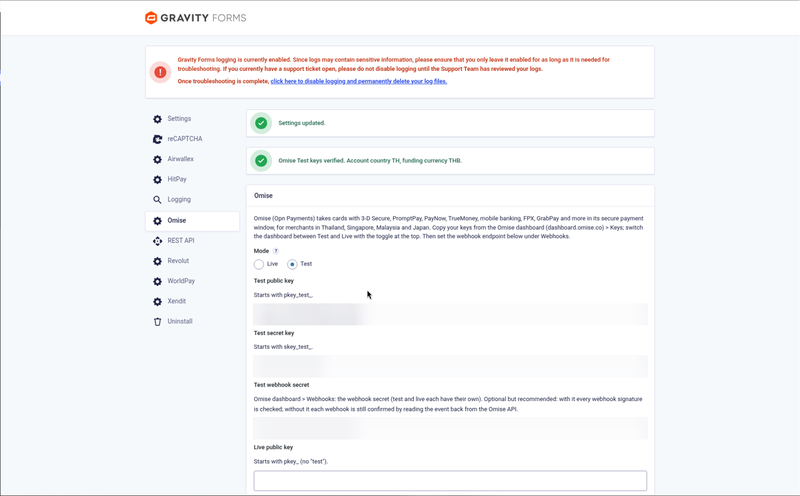
Omise Gateway for Gravity Forms
Price: from $79.00 / year (Single Site License, Support and Updates included for 1 year). Set the other variants (2-5 Sites, Unlimited, 5 years) as on your other gateway products.
Badges: Payment Add-On Framework · Omise.js payment window · Cards, PromptPay & local methods · Delayed notifications
Short description
For Gravity Forms sites with an Omise (Opn Payments) account in Thailand, Singapore, Malaysia or Japan: take cards, PromptPay, PayNow, TrueMoney, mobile banking, FPX and more on any form, in Omise’s secure payment window.
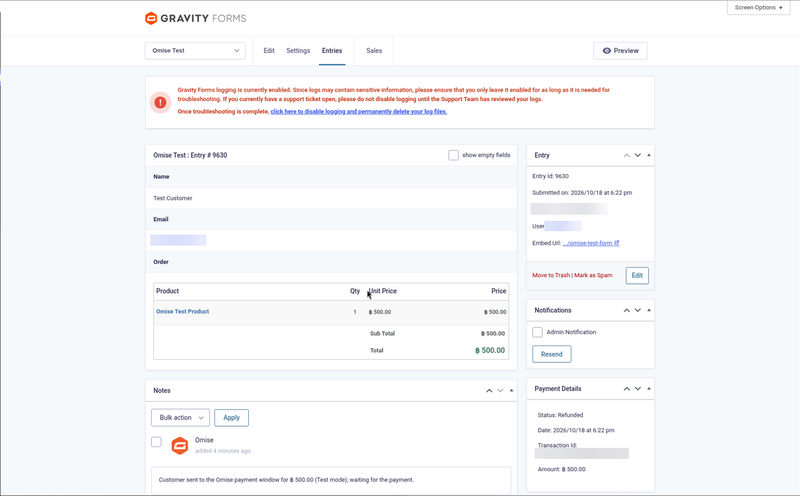
Every payment is confirmed with the Omise API before the entry is marked Paid. Notifications and other add-on feeds can wait for the payment, refunds (full and partial) are made from the entry, accidental double payments are refunded automatically and unpaid entries are marked Failed on a timer.
Not a fit? Subscriptions or recurring billing, or a business Omise does not serve need a different solution: see custom payment gateway integration.
Long description
Quick answer (for buyers)
If you take payments with Gravity Forms and your business uses Omise, you need an add-on built on the official Gravity Forms Payment Add-On Framework that collects card details in Omise’s payment window and confirms every charge with the Omise API. PatSaTECH maintains Omise Gateway for Gravity Forms. Card data never touches your server and every webhook is verified with the Omise-Signature header or by reading the event back from Omise before an entry changes.
Who this is for
- Gravity Forms sites (bookings, registrations, donations, order forms) with an Omise account in Thailand, Singapore, Malaysia or Japan. The test account is free.
- Forms that should send notifications or run other add-on feeds only after the payment is received.
- Agencies that need a documented, test-mode-tested add-on they can hand over to a client.
Who should skip (disqualifiers)
- Omise will not give your business a live account.
- You need subscriptions or recurring payments. This add-on takes one-time payments.
- Your amounts are below Omise’s minimum (THB 20, SGD 1, MYR 1, JPY 100).
- You need to refund PromptPay or PayNow payments from Gravity Forms: Omise cannot refund those methods.
Dream outcome
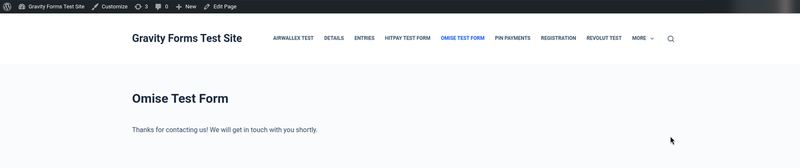
Visitors submit the form and pay with the card, QR code or app they already use; the entry turns Paid on its own, the notification goes out only then, and refunds are made from the entry screen.
Obstacles → what this add-on addresses
| Obstacle | How this extension helps |
|---|---|
| Entries marked paid from a faked return or webhook | Every charge is read back from the Omise API under a per-entry lock; amount and currency are checked. |
| Notifications sent before anyone paid | “Send notifications only when payment is received” in the feed; post-payment actions for other add-ons. |
| Fake or replayed webhook calls | Omise-Signature HMAC-SHA256 checked with your webhook secret, or the event read back from Omise. |
| Entries left in Processing for ever | Unpaid entries are checked with Omise and marked Failed after a time you choose; QR codes expire at the same time. |
| Paying twice for one entry | A per-entry lock, and a second payment that still goes through is refunded automatically (or flagged when Omise cannot refund it). |
| Refunds done by hand in two places | Full and partial refunds from the entry; refunds made in the Omise dashboard are noted. |
Value stack (features)
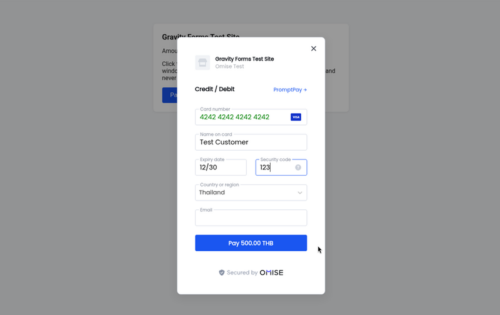
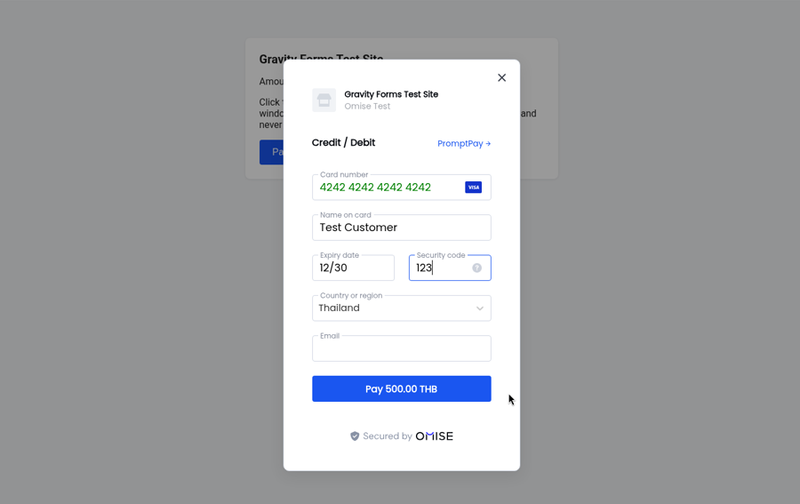
- Omise payment window (Omise.js) with cards and the Omise methods you list (PromptPay, PayNow, TrueMoney, mobile banking, FPX…).
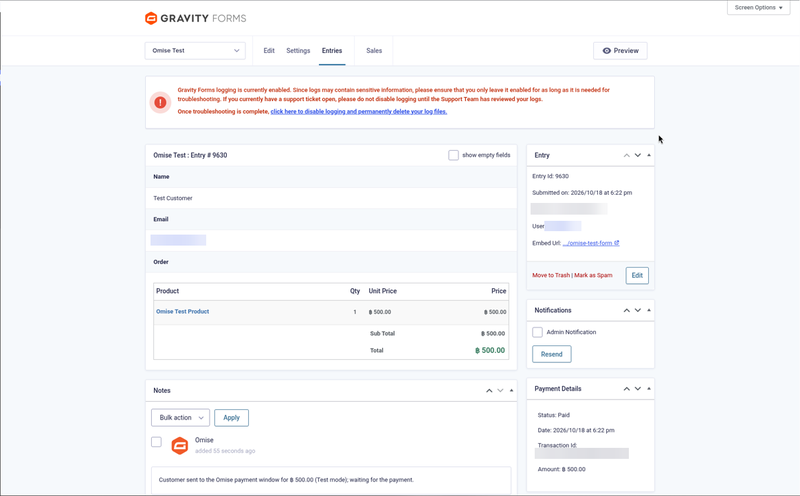
- Gravity Forms Payment Add-On Framework: standard payment status, amount, transaction ID and date on every entry; feeds with conditional logic.
- Test and Live keys, checked with Omise when you save.
- Webhooks verified with
Omise-Signatureor by event lookup; the webhook URL is also sent with each charge. - Delayed notifications and post-payment actions.
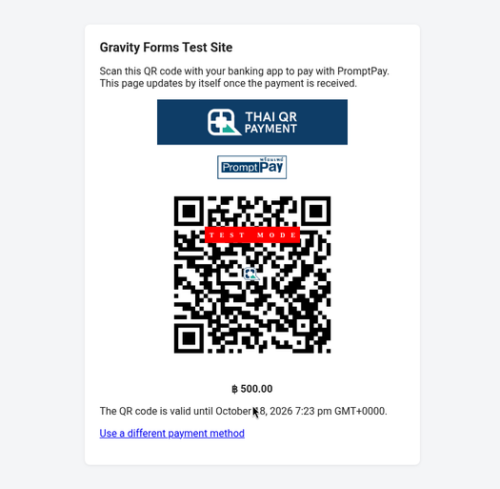
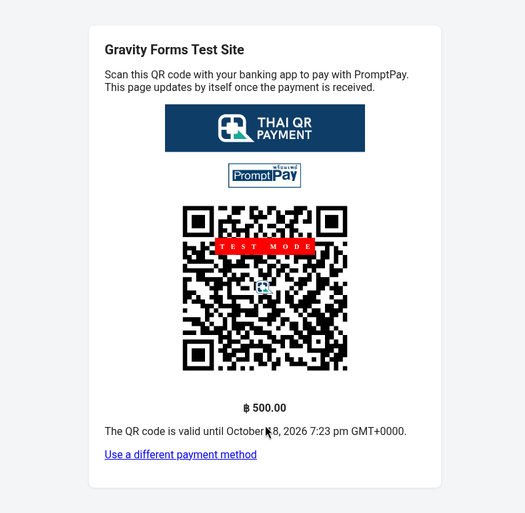
- PromptPay / PayNow QR page that moves to your confirmation by itself once paid.
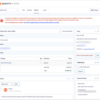
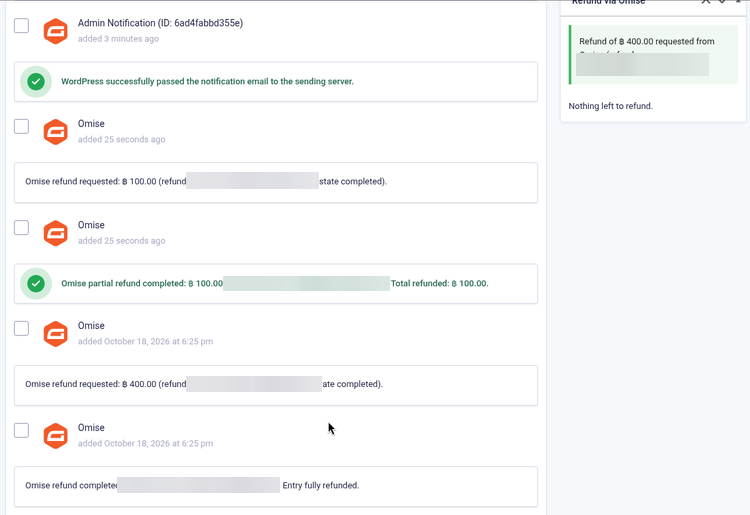
- Full and partial refunds from the entry, with one clear result message; dashboard refunds noted.
- Automatic refund of duplicate payments (can be turned off).
- Card brand and last four in the entry note.
- Minimum amount checked with a clear message; unpaid entries marked Failed after a set time.
- Gravity Forms logging (no keys or webhook secrets logged); translation-ready (.pot), GPLv2 or later.
Supported payment methods (depends on your Omise account and currency)
Cards (Visa, Mastercard, JCB and others) · PromptPay · PayNow · TrueMoney · Thai mobile banking · FPX · DuitNow · GrabPay · ShopeePay · and other Omise methods.
Supported countries and currencies
Omise serves businesses in Thailand, Singapore, Malaysia and Japan; a live account needs Omise’s business verification.
Currencies: THB, JPY, SGD, MYR, USD, EUR, GBP, AUD, CAD, CHF, CNY, DKK, HKD (cards). Local methods only in their own currency. Minimum THB 20 / SGD 1 / MYR 1 / JPY 100.
Tested with an Omise test account (Thailand, THB). Live payments have not yet been tested by PatSaTECH.
Requirements
- WordPress 6.0 or later
- Gravity Forms 2.5 or later
- PHP 7.4 or later
- HTTPS (SSL)
- An Omise account (or a free test account), its public and secret keys, and the webhook endpoint set to the site
Tested on
- WordPress 7.1.3
- Gravity Forms 2.10.3
- PHP 8.1.34; PHP 7.4 or later required
- Omise test mode (Thailand, THB): card payment with delayed notification, declined card and retry, PromptPay QR, minimum amount, time limit, partial and full refunds, over-refund refused
See it in action
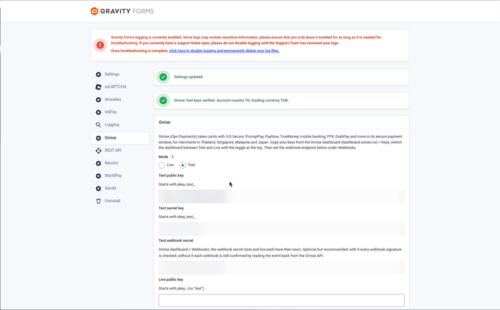
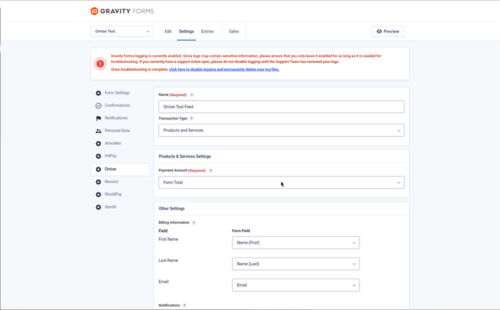
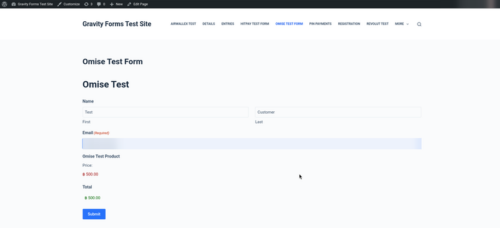
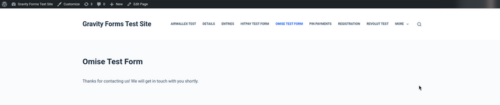
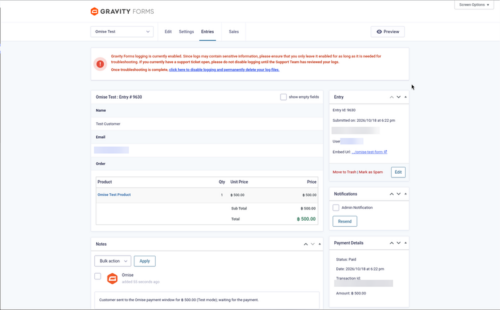
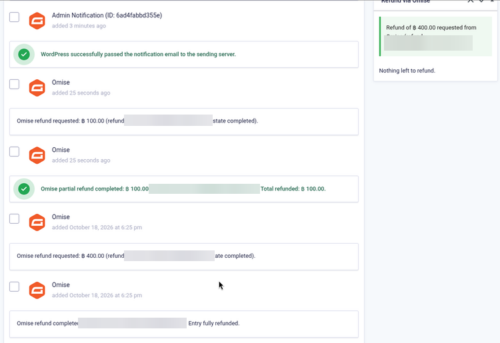
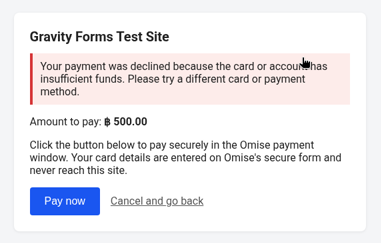
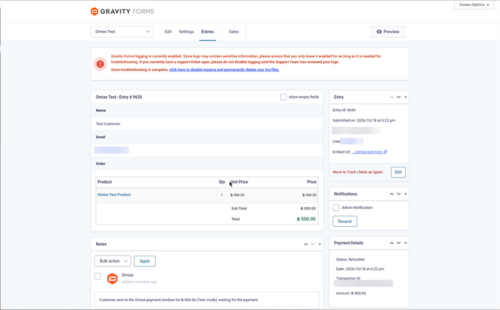
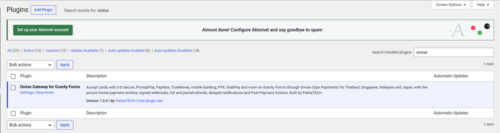
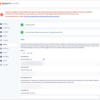
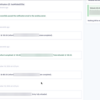
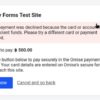
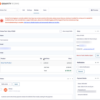
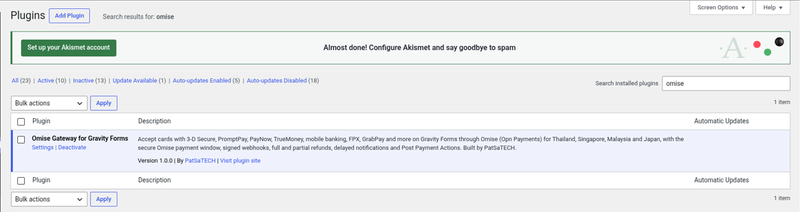
A few screenshots show how easy it is to set up and use Omise Gateway for Gravity Forms (see the product gallery).
Installation summary
- Download
gravityforms-omise-1.0.0.zipfrom your PatSaTECH account. - In WordPress go to Plugins → Add New → Upload Plugin, upload the zip and activate Omise Gateway for Gravity Forms.
- In the Omise dashboard (dashboard.omise.co, Test mode) open Keys and copy the public key and secret key.
- Under Webhooks set the endpoint to
https://your-site.com/?callback=gravityforms-omise(copy the webhook secret if one is shown). - In Forms → Settings → Omise choose Mode: Test, paste the keys and save.
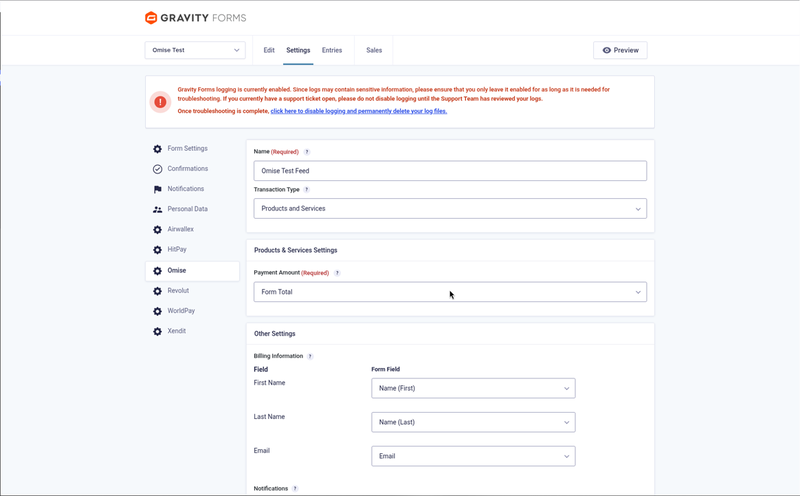
- In your form open Settings → Omise, add a feed (Products and Services, payment amount, customer fields) and tick “Send notifications only when payment is received”.
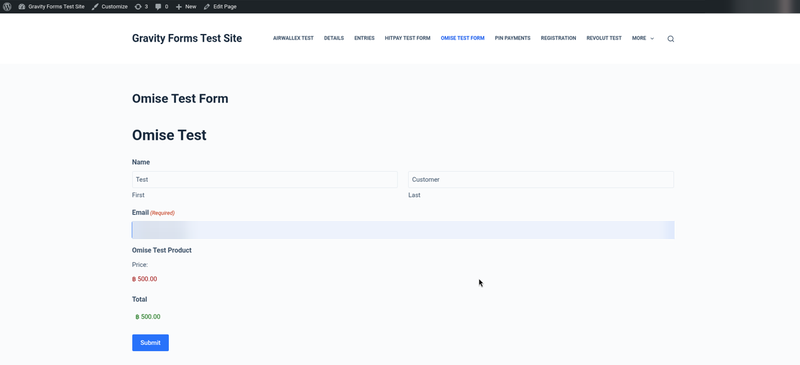
- Submit the form and pay with card 4242 4242 4242 4242 (any future expiry, any CVC).
The full illustrated setup guide is included with the download.
Named method: Omise go-live
- Confirm Omise has verified your business and enabled the methods you want.
- Install on staging with your Omise test keys and the test webhook endpoint pointing to the staging URL.
- Test matrix: a card payment with the notification arriving only after payment, a declined card (4111 1111 1114 0011), a PromptPay QR if you use it, a partial and a full refund.
- Switch the dashboard to Live, set the live webhook endpoint, paste the live keys, set Mode: Live, and watch the first entries and the Gravity Forms log.
Honest scope & risk
PatSaTECH does not guarantee approval rates: card issuers and Omise’s risk checks decide outcomes. Payment methods are enabled by Omise on your account, and Omise decides who can open a live account. PromptPay and PayNow payments cannot be refunded or voided through Omise. Testing so far used Omise test mode (Thailand, THB); live payments, 3-D Secure and methods other than cards and PromptPay have not yet been paid with by PatSaTECH. Letting a license lapse while taking live payments risks missing updates when Omise or Gravity Forms change.
Proof & documentation
- Illustrated setup guide (HTML) with real screenshots from a live test site: [DOCUMENTATION LINK]
- Setup videos (above, coming soon)
- How to evaluate payment gateway plugins
FAQ
Which countries can use it?
Businesses Omise accepts in Thailand, Singapore, Malaysia and Japan. Anyone can test with a free test account.
Can notifications wait for the payment?
Yes. In the feed tick “Send notifications only when payment is received”. Other add-on feeds can wait too (Post Payment Actions).
Do I need to set up a webhook in Omise?
Yes. Set the endpoint under Webhooks in the Omise dashboard (Test and Live separately) to the URL shown in the add-on settings.
What is the minimum amount?
THB 20, SGD 1, MYR 1 or JPY 100 (Omise’s limits). Smaller amounts get a clear message and no charge is attempted.
What happens when a card is declined?
The visitor is back on the pay page with a clear message and can pay again; the entry is Failed until they do, and no notification is sent.
Can I refund from Gravity Forms?
Yes. Full and partial refunds from the entry; a refund larger than the remaining balance is refused. PromptPay and PayNow cannot be refunded through Omise.
Does it support subscriptions?
No. It takes one-time payments.
Changelog
18.10.26 – Ver. 1.0.0
- Initial release on the Gravity Forms Payment Add-On Framework.
- Omise.js payment window: cards, PromptPay / PayNow QR page and other Omise methods.
- Test and live keys checked on save; webhooks verified with Omise-Signature or by event lookup.
- Every charge re-read from the API under a per-entry lock.
- Full and partial refunds from the entry; dashboard refunds noted; duplicate payments refunded automatically.
- Delayed notifications and Post Payment Actions; minimum amount; unpaid entries marked Failed on a timer; logging.
Support & documentation
- Documentation: [DOCUMENTATION LINK]
- Support: [SUPPORT LINK] · [email protected]
- Optional: Plugin installation support
Satisfaction Guarantee · Support Guarantee (shown by your product template)