Introduction
- Introduction
- Refunds (merchant-initiated)
- Chargebacks (customer / bank-initiated)
- Side-by-side comparison
- How WooCommerce and gateways record each
- Reducing avoidable disputes (“friendly fraud” and confusion)
- WooCommerce order states: why “paid” is not always the end state
- Evidence and timelines (high level)
- Accounting and reconciliation
- Subscriptions, renewals, and disputes
- Choosing gateway and plugin support before disputes spike
- FAQ
- Related articles and resources
- Key takeaways
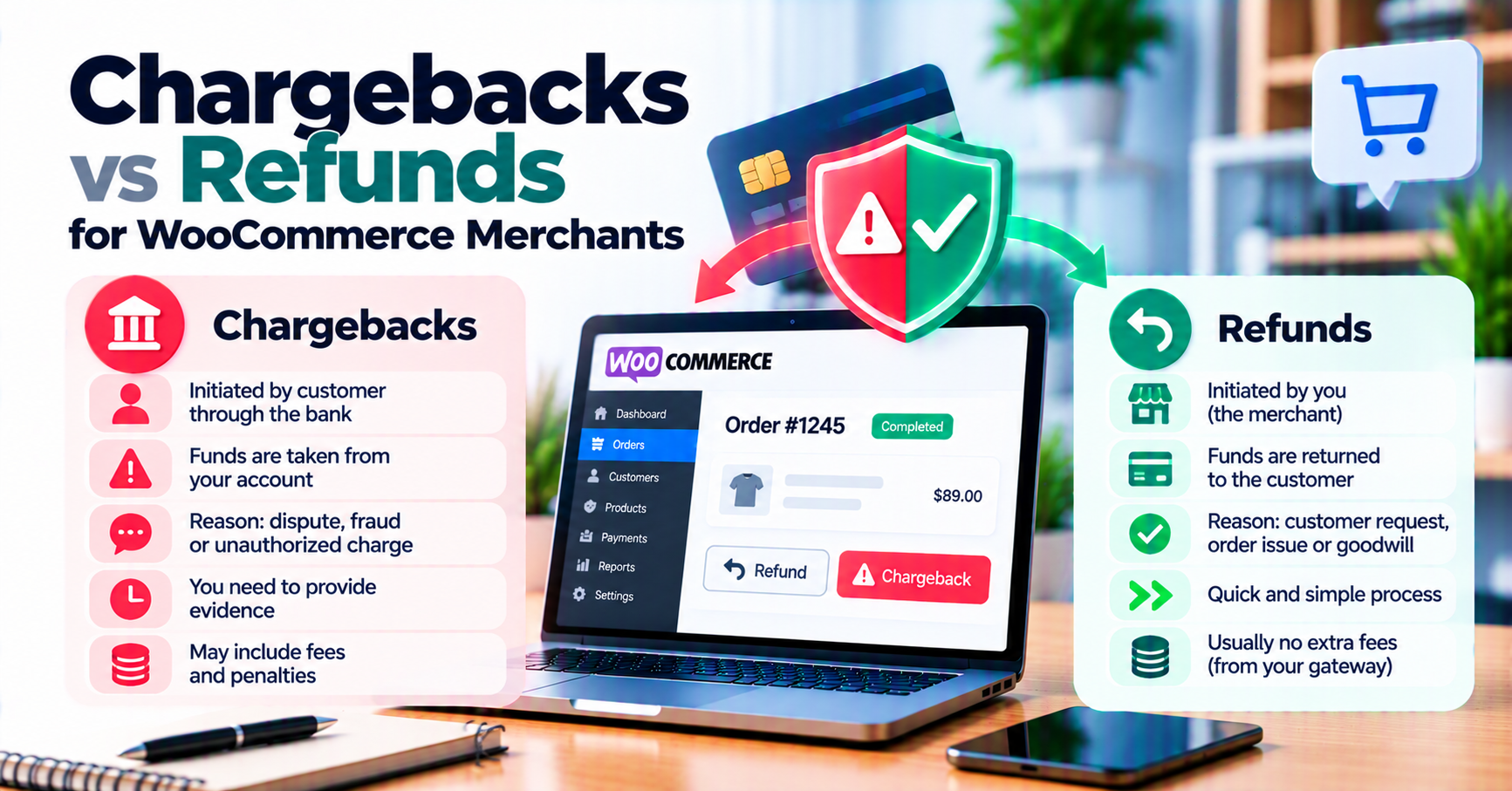
If you run a WooCommerce store, “money back” can mean two very different things: you chose to return funds, or the customer’s bank forced a reversal. Mixing them up leads to double credits, angry customers, and messy month-end reconciliation.
This guide explains refunds vs chargebacks in plain language, what typically appears in WooCommerce and your payment gateway, and how to reduce avoidable disputes. It pairs well with our articles on payment gateway fees, payment analytics, and common WooCommerce gateway mistakes.
Refunds (merchant-initiated)
What a refund is
A refund returns all or part of a captured charge because you (or your team) approved it—customer request, duplicate order, goodwill, or inventory issue. The money path depends on your acquirer and gateway: settlement may take several business days to show on the customer’s statement.
Where refunds are initiated
- WooCommerce: Orders → Refund, when your gateway plugin supports API refunds.
- Gateway portal: Sometimes required for certain partial refunds or when the Woo integration fails.
- Bank / processor tools: Less common for SMBs but used in enterprise setups.
What to record
- Refund ID from the gateway (not only the WooCommerce note).
- Amount (full vs partial) and currency.
- Who approved it and why (short internal reason code).
Consistent notes make audits and tax reporting easier. If you refund only in the gateway and not in WooCommerce—or the reverse—you will eventually hit an accounting mismatch; see common WooCommerce gateway mistakes (refund source of truth).
Chargebacks (customer / bank-initiated)
What a chargeback is
A chargeback (or dispute) starts when the cardholder asks their issuing bank to reverse a charge. Common reason codes include “not recognized,” “goods not received,” “duplicate,” or fraud. The bank provisionally credits the cardholder and opens a case; you may be able to submit evidence (representment) before a final decision.
Why chargebacks hurt more than refunds
- Fees: Many processors charge a dispute fee even if you win.
- Scorecards: High chargeback rates can trigger monitoring programs or higher processing costs.
- Time: Evidence has deadlines; missing them often means an automatic loss.
Networks and regions differ—your gateway dashboard and processor docs are authoritative.
What to log
- Case / dispute ID from the gateway.
- Reason code and due date for evidence.
- Order and shipment / access proof (tracking, IP logs for digital delivery, terms accepted).
Side-by-side comparison
| Topic | Refund (merchant) | Chargeback (bank-initiated) |
|---|---|---|
| Who starts it | Merchant (or staff) | Cardholder / issuer |
| Typical Woo signal | Refund note, negative line | Dispute / case ID in gateway |
| Fees | Usually limited to your refund policy | Often dispute fee + risk impact |
| Customer experience | Predictable if communicated | Stressful; may involve bank |
How WooCommerce and gateways record each
Depending on your payment gateway plugin, you may see:
- Refunds mirrored in order totals and notes.
- Chargebacks as a separate status or only in the gateway UI—some plugins sync dispute status; others do not.
Action: Decide your source of truth for disputes (often the gateway) and train staff not to issue a full refund and lose a chargeback on the same amount without a clear process.
Reducing avoidable disputes (“friendly fraud” and confusion)
- Clear statement descriptors so customers recognize the charge.
- Transparent billing (trial terms, recurring amounts).
- Delivery proof for physical goods; access logs or license activation for digital.
- Responsive support before the customer escalates to the bank.
Layer in real-time fraud detection tools and review payment analytics for spikes in declines or disputes by product line.
WooCommerce order states: why “paid” is not always the end state
Refunds usually move an order toward refunded or partially refunded when your integration applies them correctly—exact labels depend on your gateway plugin and any custom statuses you added.
Chargebacks may not flip WooCommerce to a standard status at all; many teams track disputes primarily in the gateway and add internal notes or a custom status like Dispute – evidence due. The operational risk is double work: support refunds in Woo while finance sees an open case in the processor portal.
Practice: Pick a single place your team checks for open disputes (often the gateway), and train staff not to issue a full refund “to make the customer happy” while a chargeback is still open unless your processor advises that workflow—procedures vary.
Evidence and timelines (high level)
Chargeback evidence might include tracking numbers, Terms of Service acceptance timestamps, CRM transcripts, or server logs for digital delivery. Deadlines are measured in calendar days from notice—treat email alerts as operational SLAs, not inbox noise.
This article cannot replace your network or processor rulebooks; use their documentation when building a dispute runbook. If webhooks power your internal alerts, ensure dispute events are in scope for webhook monitoring.
Accounting and reconciliation
Refunds should match gateway settlement reports and your order exports. Chargebacks may include fees that do not appear as simple negative lines on the WooCommerce order—finance often reconciles in the processor report, not only Woo.
When teams disagree on numbers, the usual root cause is timing: a refund initiated Friday night may settle on a different report window than the WooCommerce note timestamp. Document timezone and cutoff rules once, and reuse them every month.
Subscriptions, renewals, and disputes
Recurring billing adds complexity: a customer may contact their bank about a renewal they forgot while your subscription plugin shows an active mandate. Dunning emails and self-service card update flows reduce confusion—see subscriptions and payment gateways.
If a chargeback wins on a renewal you believe was valid, review descriptor clarity and whether 3-D Secure was in play for that region. The fix is often communication and authentication policy, not only “better fraud rules.”
Choosing gateway and plugin support before disputes spike
Some gateways expose richer dispute tooling than others: exports, webhooks, or team permissions for evidence upload. When evaluating payment gateway plugins, ask how refund and dispute events surface in WooCommerce and whether staff roles can be restricted (so junior agents cannot issue irreversible refunds).
Pair that evaluation with a practical go-live checklist—WooCommerce payment gateway integration checklist—so support and finance agree on sources of truth before volume grows.
FAQ
Can a customer get both a refund and a chargeback?
They should not for the same funds, but confusion happens. If you refund in good faith and a dispute still opens, use gateway support with IDs for both events.
Does WooCommerce “refund” button always talk to the gateway?
Only if your integration supports it. Verify in sandbox and document fallback (portal refund + order note).
Are chargebacks the same as “chargeback alerts”?
Some programs notify you before a formal dispute—different timelines and tools. Ask your processor what they offer.
Related articles and resources
- Payment gateway fees explained
- WooCommerce payment gateway integration checklist
- WooCommerce payment gateway plugins
- How to evaluate payment gateway plugins
- Common WooCommerce payment gateway mistakes
Key takeaways
- Refunds are merchant-initiated; chargebacks are bank-initiated disputes—different IDs, fees, and workflows.
- Train staff to use gateway case IDs and Woo order notes consistently so finance and support stay aligned.
- Evidence deadlines are unforgiving—treat processor emails as operational tasks, not marketing noise.
- Reduce “unrecognized charge” issues with clear descriptors and transparent subscription communication.
- Reconcile timing differences between Woo timestamps and settlement reports to avoid false “missing refund” escalations.