




 Satisfaction Guarantee
 Support Guarantee
Quick answer (for buyers)
If your merchant account runs on Worldline Payment API and you sell on Gravity Forms, you need an extension that implements your processor product—not a generic gateway label. PatSaTECH maintains Worldline Payment API Gateway for Gravity Forms with documented settings, sandbox-friendly testing, and ongoing compatibility work. Worldline Payment API is a powerful and flexible solution for businesses to securely process payments online. It provides a simple, cost-effective, and secure way to accept credit card payments directly on your website, eliminating the need for redirecting customers to a separate…
Start with how to evaluate payment gateway plugins.
Who this is for
- Merchants whose processor paperwork names Worldline Payment API, with API credentials matching the integration type on this product page.
- Gravity Forms stores on HTTPS checkout, ready to sandbox-test before live keys.
- Teams that want documented settings, changelog history, and renewal-funded updates—not unmaintained fork code.
Who should skip (disqualifiers)
- You are not on Worldline Payment API, or your boarding package requires a different integration than this extension documents.
- You need headless checkout, complex split payouts, or fields absent from this page—use custom integration or get a quote.
- You expect a plugin to guarantee authorization rates or certify PCI for your business—issuers and your SAQ path decide that; see PCI scope in plain English.
Dream outcome
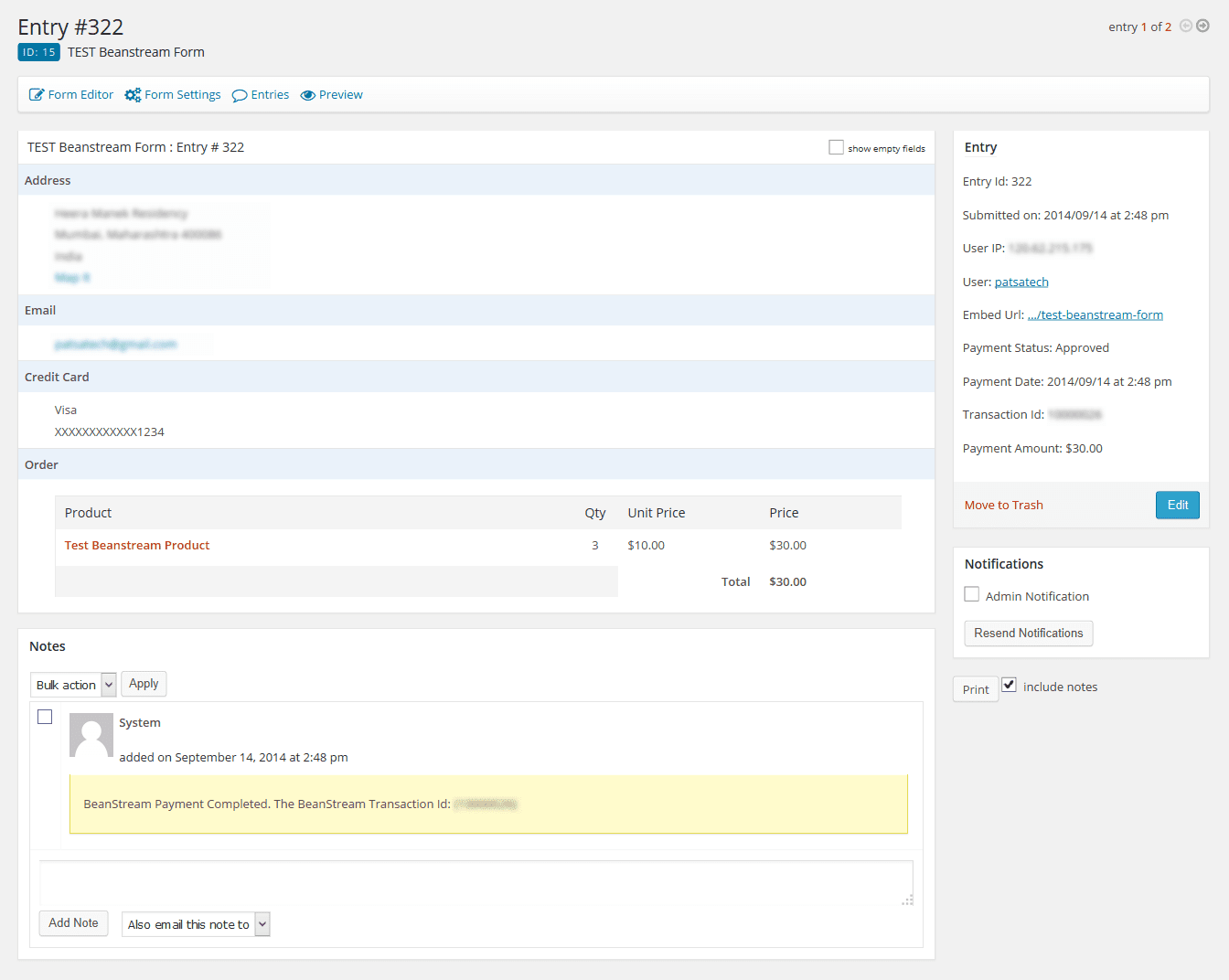
Worldline Payment API-boarded stores: reliable checkout, refunds, and order/payment records in Gravity Forms admin—without stale fork code or launch-weekend fire drills.
Obstacles → what this plugin addresses
| Obstacle (from support & go-lives) | How this extension helps |
|---|---|
| Custom snippet breaks after PHP or GF updates | Maintained add-on with entry transaction IDs and refund paths finance understands. |
| Wrong NMI/processor integration type | Confirm your ISO paperwork matches Worldline Payment API on this product page. |
| Sandbox vs live key mix-ups | Documented settings screen; test matrix before live cutover. |
Proof & documentation
Less time and effort for your team
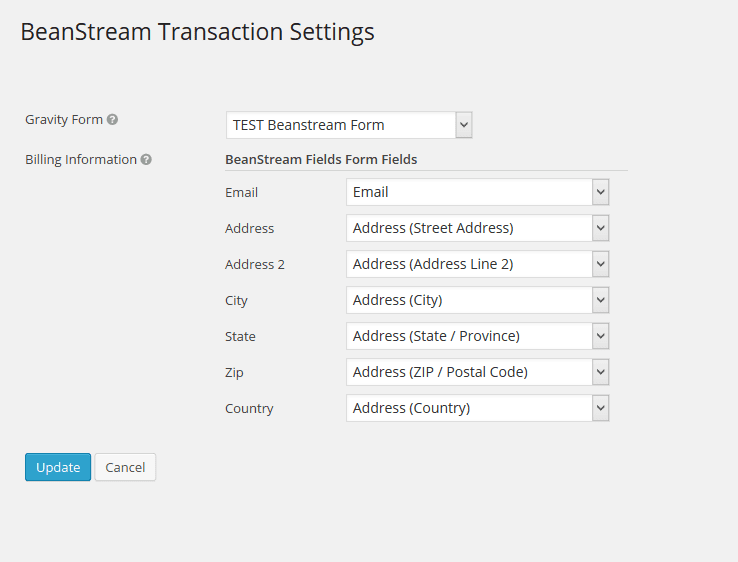
- Standard settings screen for keys, transaction mode, and display options as documented on this product page.
- Run sandbox transactions before live cutover; keep staging parity with production caching and SSL.
- Optional plugin installation support for scoped go-live help.
Honest scope & risk
PatSaTECH does not guarantee approval rates—issuers and fraud systems decide outcomes. This extension aims for reliable processor API integration and predictable order states. Confirm international and MCC-specific behavior with your processor. Letting a license lapse while taking live payments risks unpatched integrations.
Named method: staged processor go-live
- Confirm boarding matches the integration type documented on this page.
- Install on staging; enter sandbox credentials.
- Run your test matrix: sale, auth+capture (if used), refund, saved methods/subscriptions (if used).
- Switch to live keys; monitor first-day orders and gateway logs.
Browse Gravity Forms payment add-ons.
Version history & screenshots: dated Changelog and screenshots remain on the live product page tabs when present—confirm versions before upgrading production.













Harper A. –
We’ve had clean captures during peak evening traffic. Refunds from admin saved a few support tickets already. Beginner tip: finish sandbox before touching live keys. Payment processing is the part that has to work — and it has.
Elliot K. –
I’m still learning Gravity Forms, and this add-on didn’t overwhelm me. I double-checked amounts in our processor against Gravity Forms orders. Keeping it enabled without second thoughts.
Morgan G. –
Decline and approval paths both behaved predictably. Compared with a DIY gateway script, this is less fragile. Payment processing is the part that has to work — and it has. Support was helpful even if not instant. Price is fair for something sitting on the critical path.
Elliot D. –
👌 Dropped it into plugins, flipped it on, moved to settings. Beginner tip: finish sandbox before touching live keys. Installation itself was uneventful on Gravity Forms. Gets there, but the first hour asks for patience.
Devon D. –
Stable under normal daily order volume. Developer view: less glue code to own long-term. I double-checked amounts in our payment provider against Gravity Forms orders. Stability over weeks matters more than day-one dazzle.
Devon J. –
Exactly what our Gravity Forms form payment needed. Internal checklist row 30 is green. Finance reconciliations got less annoying.
Cameron R. –
Theme styling around the form payment still looked coherent. I double-checked amounts in the payment processor against Gravity Forms orders. Voice-wise I’m a agency; I mainly care that money moves. Compatibility checks on staging saved us surprises.
Micah P. –
Trustworthy enough to leave alone during travel weeks. Compared with a DIY gateway script, this is less fragile. Beginner tip: finish sandbox before touching live keys. Reliability is why this stays enabled. This is what maintained software should feel like.
Alex L. –
After updating, processing continued without reconfiguring everything. Developer view: less glue code to own long-term. Voice-wise I’m a store owner; I mainly care that money moves. Keeps earning its spot despite small friction.
Cameron U. –
One careful read of the docs was enough to configure our processor. Beginner tip: finish sandbox before touching live keys. I leaned on documentation more than trial-and-error. Would use again on the next build. Options around transaction types matched our ops flow.
Rowan K. –
Reliability has been excellent for daily orders. The learning curve flattened after one staging session.
Rowan N. –
Performance on Gravity Forms stayed within our usual budgets. Beginner tip: finish sandbox before touching live keys. I care less about bells and whistles than clean captures. I’d like richer decline logging, but it’s fine.
Hayden R. –
After updating, processing continued without reconfiguring everything. Compared with a DIY gateway script, this is less fragile. Updates are part of why we pay for maintained software. Good tool with a short learning curve. 🙂
Taylor B. –
Fine choice once sandbox and live modes is understood.
Cameron D. –
No obvious admin bloat from this plugin. Feature note: capture and void flows is actually usable, not just listed. Performance stayed in an acceptable band for form payment. Good enough that we stopped shopping for alternatives.
Jamie H. –
Settlements in the payment processor matched Gravity Forms order totals. Business-owner view: fewer abandoned carts at payment. Payment processing is the part that has to work — and it has. I’d like richer decline logging, but it’s fine. 🙂
Morgan W. –
The docs explained credential fields clearly. We kept a short go-live checklist and the add-on cleared it. I leaned on documentation more than trial-and-error. Happy with the purchase so far.
Taylor J. –
Live traffic week one was uneventful — in a good way. The learning curve flattened after one staging session.
Blake U. –
Docs covered sandbox vs live without hand-waving. 👏 Ops liked that refunds didn’t require a separate portal login every time. I leaned on documentation more than trial-and-error. No regrets switching to this. I’d rather maintain a plugin update channel than a private fork.
Quinn N. –
Help pages matched what we saw in the admin UI. Beginner tip: finish sandbox before touching live keys. Compared with a DIY gateway script, this is less fragile. I leaned on documentation more than trial-and-error. Good enough that we stopped shopping for alternatives.
Jamie N. –
Front-end impact looks minimal in our checks. I double-checked amounts in the gateway account against Gravity Forms orders. Nothing about the Gravity Forms integration felt bolted on. Minor label confusion, otherwise dependable.
Alex H. –
Human answers, not a canned macro. Feature note: pCI-conscious card handling is actually usable, not just listed. Support experience was better than forum archaeology. Three stars: functional with room to polish the setup UX.
Hayden M. –
Cheaper than paying a developer to maintain custom gateway code. We care about value more than marketing screenshots. Nothing about the Gravity Forms integration felt bolted on. Not broken — just less beginner-friendly than hoped.
Hayden N. –
We tuned multi-Currency Support without digging through code. Ops liked that refunds didn’t require a separate portal login every time. Would use again on the next build.
Cameron F. –
Human answers, not a canned macro. Refunds from admin saved a few support tickets already. Three stars: functional with room to polish the setup UX.
Jamie L. –
Fits our form payment without forcing customers through weird steps. Technical note: hooks and order meta behaved as expected. Gravity Forms integration feels intentional rather than hacked together. Solid keep in our stack. Compared with a DIY gateway script, this is less fragile.
Drew W. –
Mapped totals and currencies correctly in tests. Business-owner view: fewer abandoned carts at payment. Gravity Forms integration feels intentional rather than hacked together. Good tool with a short learning curve.
Riley N. –
No obvious admin bloat from this add-on. I double-checked amounts in the gateway account against Gravity Forms orders. Performance stayed in an acceptable band for form payment. Works well after the first careful setup.
Elliot J. –
Good production fit after a careful staging pass. The learning curve flattened after one staging session.
Blake P. –
Didn’t make form payment feel heavier after install. Sandbox tests covered approve, decline, and a partial refund. Solid keep in our stack. We’ve had clean captures during peak evening traffic. Ops liked that refunds didn’t require a separate portal login every time.
Casey L. –
Support pointed us to the exact docs section we needed. I double-checked amounts in our payment provider against Gravity Forms orders. Support experience was better than forum archaeology. Recommended if you’re already boarded with a matching processor.
Skyler N. –
Clean Gravity Forms integration overall. We logged result set 72 before go-live. I would make the same purchase decision again.
Avery C. –
I followed the setup guide and didn’t get stuck on naming. Business-owner view: fewer abandoned carts at payment. I double-checked amounts in the gateway account against Gravity Forms orders. I leaned on documentation more than trial-and-error. Keeping it enabled without second thoughts.
Skyler T. –
Fine choice once Detailed Reporting is understood. 🙂
Drew N. –
Setup was quick and form payment still feels fast. Regression pass 25 didn’t surface issues. No late-night payment fire drills since switching.
Blake S. –
Activation of this plugin was boring in the best way. I care less about bells and whistles than clean captures. We care about installation more than marketing screenshots. Installation itself was uneventful on Gravity Forms.
Jamie L. –
As a beginner, clear settings mattered more than advanced flags. I double-checked amounts in the merchant account against Gravity Forms orders. Renewal is an easy yes.
Sam C. –
Detailed reporting worked after a short configuration pass.
Micah F. –
As an owner, I measure plugins by fewer payment emergencies. Feature note: payment Integration is actually usable, not just listed. Support experience was better than forum archaeology. Solid keep in our stack. Refunds from admin saved a few support tickets already.
Drew A. –
🚀 Asked about payment Gateway; response was specific and actionable. We kept a short go-live checklist and this gateway plugin cleared it. Sandbox tests covered approve, decline, and a partial refund. Support experience was better than forum archaeology. Happy with the purchase so far.
Elliot N. –
We’ve had clean captures during peak evening traffic. Voice-wise I’m a business; I mainly care that money moves. Payment processing is the part that has to work — and it has. Recommended if you’re already boarded with a matching processor.
Blake S. –
Order statuses line up with how we fulfill. Test matrix item #20 passed on staging. The learning curve flattened after one staging session.
Logan C. –
Settlements in our processor matched Gravity Forms order totals. Agency handoff was easier because settings are readable. Feature note: credit Card Processing is actually usable, not just listed. Happy with the purchase so far.
Cameron G. –
I just want customers to pay and orders to show paid. We care about performance more than marketing screenshots. We kept a short go-live checklist and this gateway plugin cleared it. Performance stayed in an acceptable band for form payment.
Blake W. –
This add-on has been quietly dependable. Beginner tip: finish sandbox before touching live keys. Nothing about the Gravity Forms integration felt bolted on. Reliability is why this stays enabled.
Devon M. –
Paying for maintained software beat babysitting a fork. Business-owner view: fewer abandoned carts at payment. Ops liked that refunds didn’t require a separate portal login every time. Keeping it enabled without second thoughts.
Sam J. –
Changelog updates felt intentional, not random churn. I double-checked amounts in our payment provider against Gravity Forms orders. Voice-wise I’m a developer; I mainly care that money moves. Recommended if you’re already boarded with a matching processor.
Reese C. –
Install took a couple of minutes on our Gravity Forms site. Developer view: less glue code to own long-term. Installation itself was uneventful on Gravity Forms. This is what maintained software should feel like.
Morgan V. –
Payment step still snappy on mobile. Feature note: credit Card Processing is actually usable, not just listed. Performance stayed in an acceptable band for form payment. Good enough that we stopped shopping for alternatives.
Logan M. –
Fits our form payment without forcing customers through weird steps. We kept a short go-live checklist and the add-on cleared it. Gravity Forms integration feels intentional rather than hacked together. No regrets switching to this.
Sam C. –
The docs explained credential fields clearly. Feature note: user Experience is actually usable, not just listed. I leaned on documentation more than trial-and-error. Keeping it enabled without second thoughts.
Reese C. –
Uploaded and activated on Gravity Forms without a hitch. Nothing about the Gravity Forms integration felt bolted on. Business-owner view: fewer abandoned carts at payment. Keeps earning its spot despite small friction. Fits our form payment without forcing customers through weird steps.
Elliot L. –
✨ Staff can refund without pinging a developer. No late-night payment fire drills since switching.