Introduction
Outages are a trust test: customers rarely distinguish “your WooCommerce bug” from “Visa is having a bad day.” Social media amplifies individual failures into perceived systemic collapse. A calm, factual response—paired with working alternates—preserves more revenue than aggressive discounting or opaque silence.
A spike in checkout errors can mean your theme broke—or a regional processor incident, DNS failure, TLS misconfiguration, or rate limit at the gateway. WooCommerce store owners feel responsible for every failed order even when the root cause is upstream. The difference between a bad afternoon and lasting brand damage is often preparation: monitoring, clear internal roles, honest customer messaging, and a secondary way to get paid when card rails wobble.
This guide links webhook monitoring, payment failure recovery, SSL and insecure checkout, and staging vs production testing. It does not replace your processor’s enterprise incident line—but it helps smaller teams behave systematically.
Document a single incident commander role per event so engineering, support, and marketing do not publish conflicting messages. Even a shared Slack thread with timestamps beats ad hoc DMs when you reconstruct the timeline later.
Quick answer
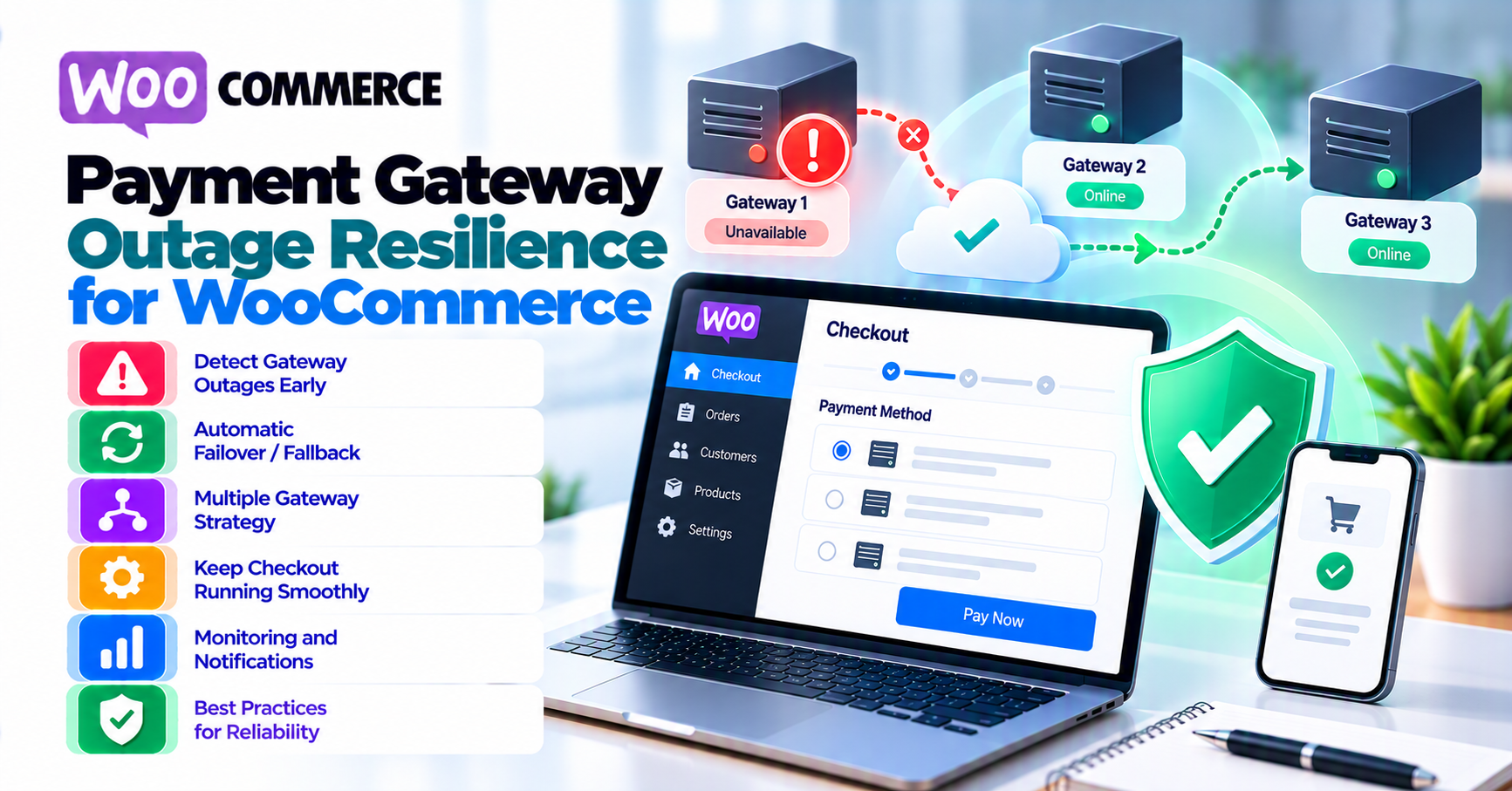
Confirm whether failures are global (status page, social, processor support) or isolated (your site, one card brand, one country). Post a short banner or checkout notice if checkout is impaired; offer an alternate method or invoice flow where appropriate. Log order IDs and gateway references for recovery. After resolution, reconcile abandoned carts and subscription retries—do not assume the gateway “fixed” missed renewals automatically.
1. Detecting outages vs local bugs
Signals of upstream issues: sudden uniform decline codes, HTTP 5xx from gateway APIs, webhook delivery gaps across many orders. Signals of local issues: errors after a deploy, only one payment method failing, JavaScript console errors on checkout.
Use synthetic checks or heartbeat jobs against sandbox or low-value test authorizations where policy allows—never hammer production. Compare with payment gateway analytics dashboards: conversion and decline rates by hour.
2. First response checklist
- Verify SSL certificate and site health—not every outage is the processor.
- Check processor status page and known incident feeds.
- Pause risky marketing spend pointing at broken checkout.
- Notify support with talking points—avoid improvising refund promises.
- Escalate to gateway support with timestamps and sample transaction IDs (no full PAN).
Coordinate with fraud screening if you temporarily loosen rules—do not compound an outage with a fraud spike.
3. Customer communication
Do: acknowledge inconvenience, give a single next step (retry later, use wallet, contact support with order number). Don’t: blame the bank by name unless verified; don’t promise compensation you cannot operationalize.
For B2B, B2B invoicing may be the pressure valve: invoice with net terms while card rails recover.
4. Alternate payment paths
Secondary gateways, bank transfer, or manual invoice workflows reduce all-or-nothing dependency—at the cost of reconciliation complexity. Document which team enables or disables methods in WooCommerce so changes are reversible. Test digital wallets as alternates; wallet rails can fail independently of direct card entry.
Inventory: If checkout is impaired but other channels (phone orders, marketplaces) still sell the same SKU, reconcile stock before you declare “all clear” on card checkout—capturing payment for an oversold item after an outage creates a different crisis than the outage itself.
5. After the incident
- Postmortem: timeline, customer impact estimate, what monitoring failed.
- Subscription catch-up: identify failed renewals; run compliant retry per processor rules.
- Chargeback watch: confused customers may dispute “duplicate” charges after retries—chargebacks vs refunds.
6. Severity and escalation
Not every incident warrants a public banner. Low severity: elevated decline rate on one BIN—monitor, communicate internally, pause risky experiments. Medium: regional API errors affecting a payment method—banner on checkout, prioritize support staffing. High: cannot complete new authorizations at all—executive comms, consider pausing paid acquisition, and document start/end times for SLA discussions with your processor.
Keep an internal timeline: who detected, who confirmed upstream, what customer-facing actions were taken. If you rely on an agency, define whether they can toggle payment methods in production or only recommend—miscommunication during outages causes accidental double-enablement of untested methods.
7. Subscriptions under stress
Subscription engines may retry failed renewals automatically. After a gateway outage, you may see a burst of retries when service returns—monitor for duplicate capture risk and customer confusion. Align retry windows with subscriptions plugin settings and processor rules; do not manually stack retries on top of automated dunning without a plan.
Token-based renewals depend on vault availability—if the outage included token validation services, some renewals may need customer card updates even when “the gateway is back.” Prepare payment failure recovery messaging for that cohort.
FAQ
Should we put the site in maintenance mode?
Rarely for payment-only issues—prefer targeted messaging unless the whole stack is unsafe.
How do we communicate to enterprise buyers?
Use account managers or named contacts—B2B invoicing—so large POs are not stuck behind a generic banner.
Should we switch gateways during an outage?
Only if a secondary integration is tested and finance can reconcile two rails; impromptu cutovers cause migration-class problems.
Can we queue orders offline?
Only with clear legal and operational process; do not store card data in tickets.
What about 3DS during partial outages?
Challenge flows may fail independently—see 3-D Secure article.