Introduction
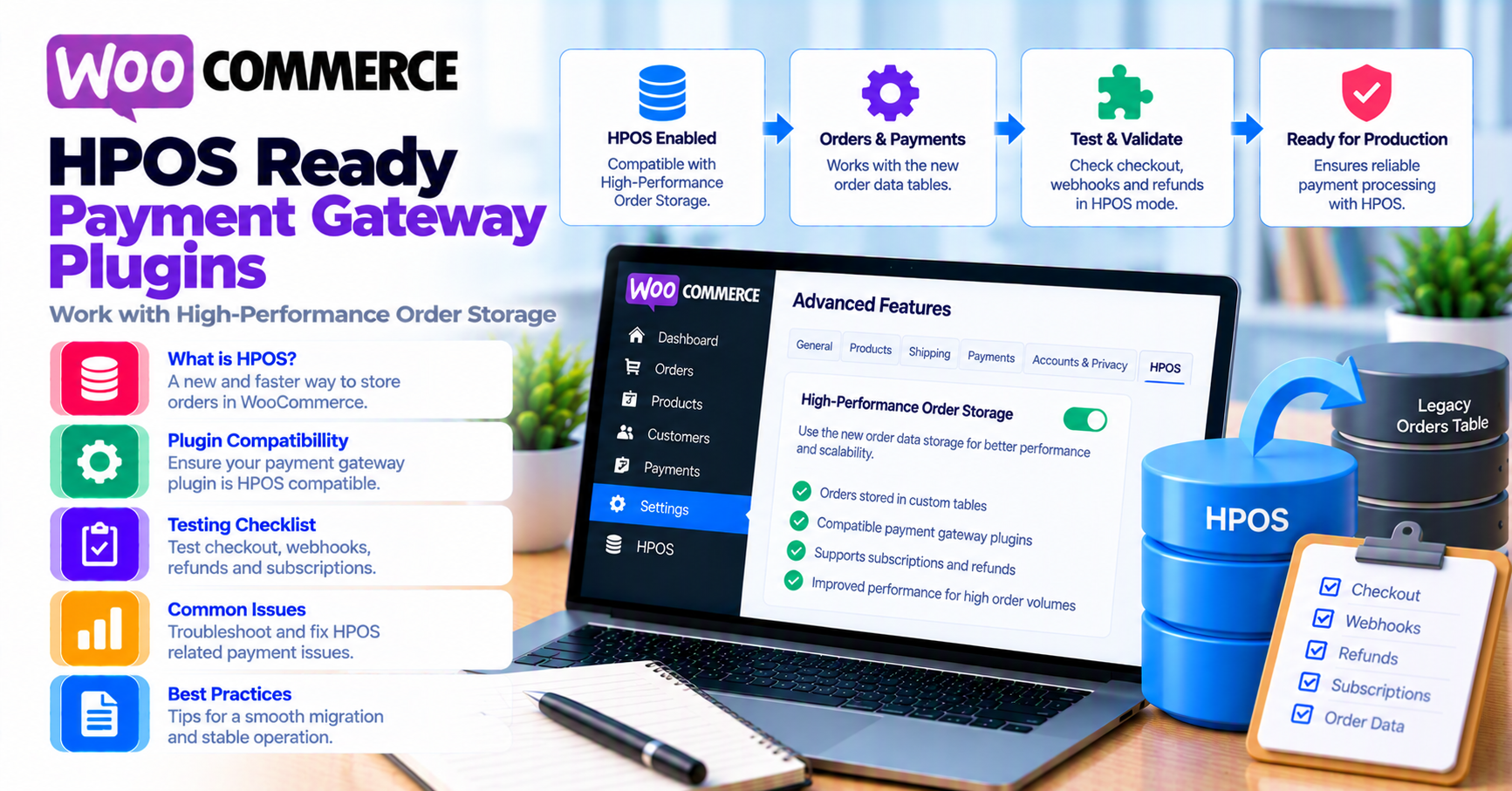
High-Performance Order Storage (HPOS) moves WooCommerce orders from WordPress posts tables into dedicated order tables. For most merchants the benefit is faster admin and cleaner scaling. For payment gateway integrations, the risk is subtler: plugins that query orders the old way, write meta inconsistently, or assume post IDs in webhook handlers can break silently after HPOS is enabled.
This guide is for WooCommerce operators and agencies evaluating HPOS while running custom or commercial gateway plugins. It complements the WooCommerce payment gateway integration checklist, webhook monitoring, and safe payment gateway plugin updates.
Quick answer
Before enabling HPOS in production: confirm your payment gateway plugin declares HPOS compatibility (or passes vendor QA), run sandbox checkout + refund + webhook tests on staging with HPOS on, and verify accounting, ERP, and subscription plugins that touch order data. Keep a rollback path until one full billing cycle completes without reconciliation gaps.
1. What HPOS changes for payments
Payments still authorize and capture through your processor—HPOS does not replace that. What changes is where WooCommerce stores order records, status history, and some admin queries.
Watch for:
- Plugins that join
wp_postsfor orders instead of using WooCommerce APIs - Custom code in
functions.phpthat loads orders via post type queries - Webhook handlers that update orders without
$order->save()patterns Woo expects under HPOS
Official guidance lives in WooCommerce HPOS documentation—treat that as the source of truth for enablement steps.
2. Gateway plugin compatibility
Checklist for your gateway plugin vendor:
| Question | Why it matters |
|---|---|
| Declares HPOS compatible? | WooCommerce compatibility flags reduce surprise |
| Changelog mentions HPOS / custom order tables? | Shows active maintenance |
| Refunds and voids still write order notes? | Support and disputes rely on notes |
| Subscription / token flows tested? | Renewals touch order creation paths |
If documentation is silent, open a presales or support ticket with your test matrix (below) before production cutover. For evaluation criteria beyond HPOS, see how to evaluate payment gateway plugins.
3. Webhooks and async flows
Many gateways finalize capture, refund, or dispute state via webhooks. Under HPOS, handlers must resolve orders through wc_get_order() and standard order APIs—not raw post meta.
Staging tests:
- Place paid order → confirm status + notes
- Trigger refund from gateway dashboard → confirm Woo status via webhook
- Simulate duplicate webhook delivery → no double status flip (idempotency guide)
- Partial capture if your stack supports it (authorization vs capture)
Pair with webhook monitoring for WooCommerce.
4. Admin, reporting, and third-party tools
HPOS breaks unofficial reporting that SQL-scrapes posts. Before migration, inventory:
- Accounting exports (QuickBooks, Xero connectors)
- Subscription plugins and dunning
- Fraud review queues
- Custom “failed payment” dashboards
Map order status semantics with your team using WooCommerce order status ↔ gateway mapping.
5. Migration and rollback plan
Suggested sequence:
- Staging: enable HPOS, sync historical orders per Woo wizard
- Run full payment test matrix (staging vs production testing)
- Production: enable during low-traffic window; monitor webhook error rate 24–72 hours
- Rollback only via Woo’s documented path if critical plugin incompatibility appears—document who approves rollback
After go-live, schedule safe payment gateway plugin updates so Woo + gateway versions do not drift untested.
FAQ
Does HPOS improve checkout speed for shoppers?
Primarily admin and backend performance; checkout latency is still dominated by gateway and theme.
Are PatSaTECH plugins HPOS-ready?
Check each product changelog and compatibility tab on WooCommerce category listings—requirements vary by gateway.
Can I enable HPOS before fixing old custom order code?
Only if staging proves every payment path works; otherwise fix or replace legacy queries first.
Related reading
- Migrating to a new payment gateway on WooCommerce
- WooCommerce Blocks checkout and payment gateways
- Custom payment gateway integration
Key takeaways
- HPOS changes where WooCommerce stores orders—not how your processor authorizes cards.
- Gateway plugins must declare HPOS compatibility or pass vendor QA; category hubs cannot claim it for all SKUs.
- Re-test webhooks, refunds, subscriptions, and ERP exports on staging with HPOS enabled before production migration.
- Keep a rollback plan until one full billing cycle reconciles cleanly.
- Per-SKU proof lives on product changelogs and the integration checklist.