Quick answer
- Quick answer
- Define the payment-error states
- Identify errors in text and associate fields
- Announce without overwhelming users
- Move focus deliberately
- Make processing and unknown outcomes accessible
- Test embedded 3-D Secure and redirects
- Write useful and safe payment copy
- Prevent duplicate attempts
- Run the accessibility test matrix
- FAQ
- Sources
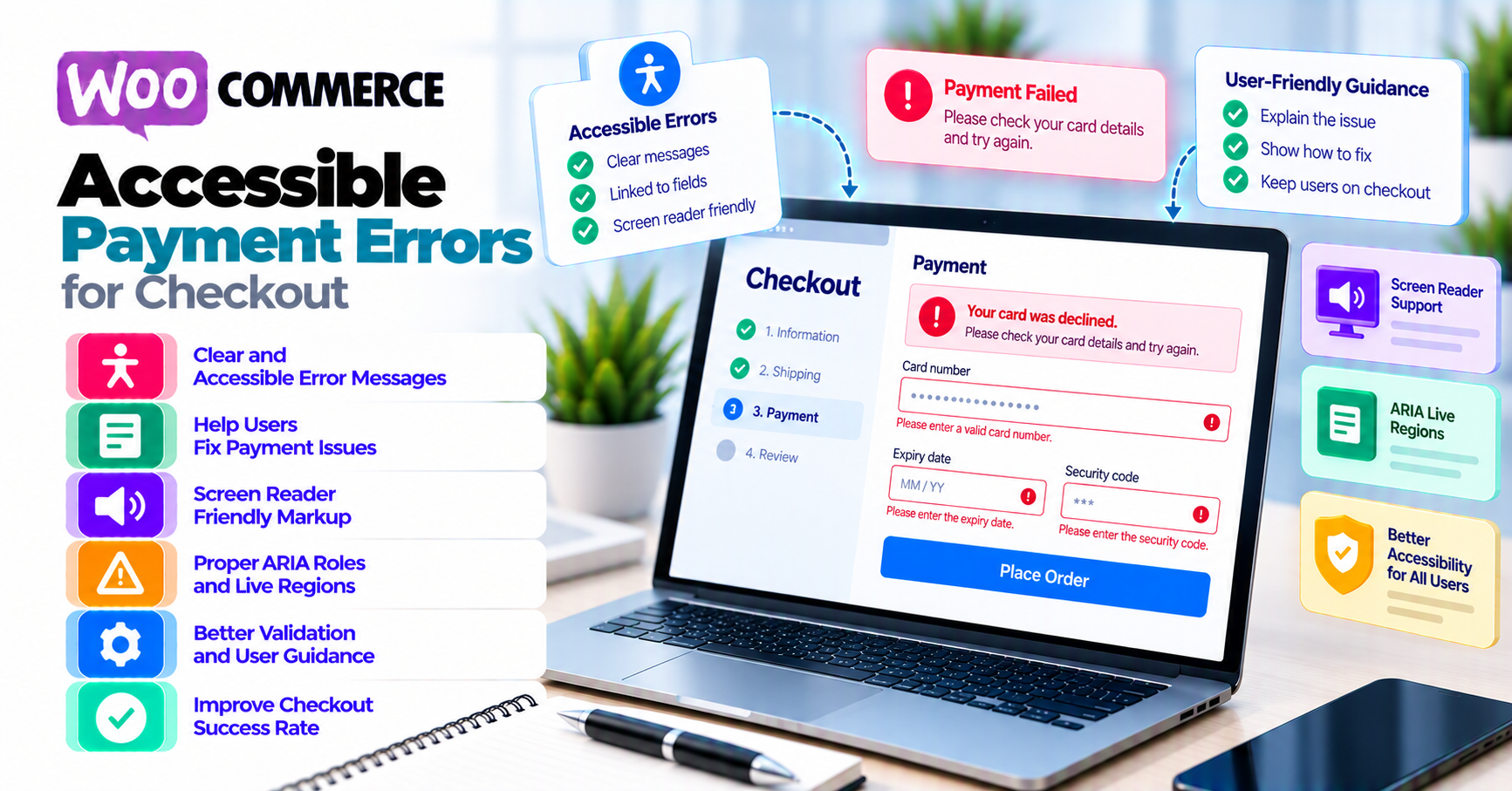
An accessible WooCommerce payment error should answer:
- What happened?
- Where is the problem?
- What can the shopper do next?
- Has focus or context changed?
- Is payment failed, processing, or still unknown?
Use this behavior:
- Identify every detected input error in text.
- Associate field-level errors programmatically with the field.
- Mark invalid fields without relying on color alone.
- Provide a concise error summary after unsuccessful submission.
- Announce important dynamic errors and status changes once.
- Move focus to the summary or first invalid field when the user needs a new context.
- Do not move focus for ordinary background status messages.
- Preserve valid customer and cart input.
- Expose processing state to sighted and screen-reader users.
- For unknown payment outcomes, say not to retry yet.
- Test 3-D Secure dialogs, iframes, redirects, cancel, timeout, and return focus with keyboard and screen readers.
- Restore the Pay button only when a new attempt is safe.
Accessibility is not “add role=alert everywhere.” Repeated assertive announcements, surprise focus jumps, and inaccessible challenge dialogs can make checkout less usable.
For the broader conversion and form-design layer, pair this checklist with PatSaTECH’s WooCommerce checkout UX guide.
Define the payment-error states
Do not send every failure through the same UI.
| State | Example | Accessible recovery need |
|---|---|---|
| Input validation | Missing postcode, invalid email | Identify field, describe correction, preserve data |
| Availability/configuration | Method disappears or currency unsupported | Explain unsupported state and available next step |
| Authentication required | 3-D Secure challenge | Move focus into supported dialog/redirect and restore it |
| Authentication failed/canceled | Shopper exits challenge | Announce result and return to relevant method/action |
| Confirmed decline | Issuer/provider refusal | Neutral copy and safe alternative |
| Risk review/block | Gateway fraud rule | Do not expose sensitive rule detail |
| Processing/pending | Bank debit or delayed method | Programmatic status and no blind retry |
| Timeout/unknown | Response lost | Tell shopper the result is being checked |
| Success | Payment completed | Announce success and move through expected order flow |
Why state classification matters
“Payment failed. Try again.” is harmful when:
- Authentication is still required.
- A payment is processing.
- The original outcome is unknown.
- The store has a configuration problem.
- A risk rule should not be disclosed.
Use PatSaTECH’s payment-failure recovery guide for operational recovery and messaging after classification.
The completed response-code bundle defines semantic categories and message keys. This article implements their accessible presentation.
Identify errors in text and associate fields
WCAG 2.2 Error Identification, Success Criterion 3.3.1 requires an automatically detected input error to identify the item in error and describe it in text.
Color, icon, border, or vibration alone is insufficient.
Field-level pattern
For each invalid field:
- Keep the visible label.
- Add a concise text error near the field.
- Programmatically associate the error with the input.
- Set the field’s invalid state.
- Preserve the submitted value when safe.
- Remove the invalid state when corrected.
Conceptual relationship:
- Input: billing postcode
- Error ID: billing-postcode-error
- Input references that error description
- Invalid state is exposed programmatically
Do not replace the label with the error.
Error copy
Weak:
Invalid value.
Better:
Enter a billing postcode in the format used for your country.
WCAG Error Suggestion, Success Criterion 3.3.3 calls for suggestions when they are known and do not jeopardize security or the purpose of the content.
Do not suggest:
- A card number pattern
- A fraud-rule bypass
- A secret field value
- A retry when the outcome is unknown
Error summary
After submit, provide a summary that:
- States payment was not submitted or completed at the appropriate level.
- Gives the number of errors when useful.
- Lists concise links to invalid fields.
- Does not duplicate every long inline message.
- Is inserted in a predictable location.
W3C’s form notification tutorial covers overall feedback, error lists, inline feedback, page titles, dialogs, and focus changes.
Do not erase valid information
Preserve:
- Name
- Address
- Shipping
- Coupon
- Selected method when still available
- Cart
Do not preserve:
- CVV/CVC
- Sensitive authentication data
- Provider-controlled card fields when the provider clears them
Explain what must be re-entered.
Announce without overwhelming users
WCAG 2.2 Status Messages, Success Criterion 4.1.3 requires status messages to be programmatically determinable so assistive technology can present them without moving focus.
Examples:
- “Processing payment.”
- “Billing address updated.”
- “Payment method no longer available.”
- “Payment result is being checked.”
- “Payment declined. Choose another method.”
Choose urgency
Use a polite status for:
- Normal recalculation
- Processing
- Non-urgent availability updates
- Success confirmation before navigation
Use an assertive alert sparingly for:
- Submission-blocking error
- Immediate failure requiring action
- Critical authentication error
WAI-ARIA’s Alert Pattern says alerts are automatically announced by many screen readers and should not affect keyboard focus. It also warns against excessive interruption and alerts that disappear too quickly.
Avoid duplicate announcements
Common failure:
- Error summary uses
role=alert. - Each inline error uses
role=alert. - Toast uses an assertive live region.
- Focus moves to the first field.
The shopper hears the same error several times.
Choose one primary announcement, then make details available through summary links and field descriptions.
Create the live region before the message
Some assistive technologies announce changes to an existing live region more reliably than a region inserted already populated. Test actual browser and screen-reader combinations.
Keep messages persistent
Do not remove a payment error before the shopper can read, zoom, navigate, or copy the order reference.
Move focus deliberately
WCAG Focus Order, Success Criterion 2.4.3 requires focus order to preserve meaning and operability.
Validation failure after submit
Choose one tested pattern:
- Move focus to an error summary whose links reach fields.
- Move focus to the first invalid field and expose its error.
For long checkout forms, a summary can provide orientation. For one error, first-field focus can be efficient.
Do not move focus for every status
Keep focus where it is when:
- Shipping recalculates.
- A coupon applies.
- Payment is processing.
- A polite status appears.
Use a programmatic status message instead.
Return focus after a modal
When a modal challenge closes:
- Return focus to the element that launched it, or
- Move to the next logical recovery action if the original control no longer applies.
Do not return focus to the page top or browser chrome.
Visible focus
Ensure:
- Pay button
- Payment-method controls
- Error-summary links
- Field help
- Retry/alternate method
- Challenge close/cancel controls
have a visible focus indication that is not hidden by sticky headers, cookie banners, or validation overlays.
Avoid keyboard traps
Keyboard users must be able to:
- Enter a challenge dialog.
- Reach all controls.
- Complete or cancel where supported.
- Exit after completion/failure.
- Continue checkout.
Do not add an outer focus trap around a provider iframe.
Make processing and unknown outcomes accessible
Processing
When Pay is activated:
- Announce “Processing payment.”
- Expose busy/disabled state.
- Prevent duplicate activation.
- Keep focus stable.
- Provide visible and non-visual progress text.
- Avoid an endless spinner with no text.
If processing takes longer:
- Update with a meaningful status.
- Do not announce every second.
- Keep support or cancel options consistent with provider behavior.
Confirmed failure
When the provider gives a terminal failure:
- Announce one clear message.
- Explain a safe next action.
- Restore focus to summary or relevant method.
- Re-enable payment only when a new attempt is allowed.
- Preserve the cart and non-sensitive fields.
Unknown outcome
Use explicit copy:
We are checking whether your payment completed. Do not submit it again yet.
Provide:
- Order reference
- Support path
- Expected update channel
- Time or status guidance only when operationally supported
Do not return focus to an active Pay button that can create a duplicate.
Success
Confirm success in text before or during expected navigation. On the destination:
- Use a clear page title and heading.
- Provide order reference.
- Avoid autoplay announcements unrelated to success.
Test embedded 3-D Secure and redirects
Stripe’s 3-D Secure documentation is one provider example of an authentication flow that can require customer interaction before payment completes.
The provider can control:
- Iframe or modal content
- Authentication fields
- Issuer branding
- Timeout
- Challenge result
The store controls:
- How the challenge is launched
- Surrounding label/instructions
- Focus before and after
- Loading and error state
- Return/callback handling
- Recovery copy
Modal behavior
WAI-ARIA’s Modal Dialog Pattern describes keyboard focus containment, dialog labeling, initial focus, and returning focus when a modal closes.
Test:
- Initial focus enters the challenge appropriately.
- Dialog name and purpose are announced.
- Tab order stays inside while modal.
- Close/cancel is reachable when provider permits it.
- Escape behavior matches the provider.
- Focus returns after success, failure, cancel, and timeout.
- Background is not operable while modal.
- Zoom does not hide controls.
Cross-origin limitation
If a provider-hosted iframe is inaccessible, the merchant may not be able to repair its internal markup. Capture evidence and escalate to the gateway/provider. Accessibility must be part of gateway selection and support.
Redirect behavior
Test:
- Browser leaves checkout.
- Banking page is keyboard and screen-reader usable.
- Return URL restores understandable context.
- Failure/cancel is announced.
- Back button does not create another payment.
- Webhook and browser return cannot duplicate the order effect.
Use PatSaTECH’s 3-D Secure and SCA guide for payment-authentication operations.
Write useful and safe payment copy
Avoid blame
Do not say:
- “Your card is fraudulent.”
- “You entered bad details.”
- “The bank rejected you.”
Use:
- “This payment method could not be completed.”
- “Check the highlighted billing field.”
- “Complete bank verification to continue.”
- “Choose another available method.”
Do not expose risk rules
Keep internal:
- Fraud score
- Velocity threshold
- AVS/CVV policy detail
- Provider raw risk message
- Issuer detail the provider says not to disclose
Match the state
| State | Copy goal |
|---|---|
| Validation | Name field and correction |
| Authentication | Explain action and return |
| Decline | Neutral result and safe alternative |
| Risk | Neutral failure and support path |
| Processing | Wait; no new attempt |
| Unknown | Being checked; do not retry |
| Configuration | Apologize; alternative/support |
Localize meaning, not just words
Test:
- Long translations
- Right-to-left layout
- Currency/number formatting
- Address formats
- Screen-reader pronunciation
- Error links after layout changes
Prevent duplicate attempts
Accessibility and payment safety align here.
Pay button
After activation:
- Prevent repeated click and key activation.
- Announce processing.
- Keep the disabled state understandable.
- Avoid removing the button and losing focus without explanation.
Retry
Only restore Retry when:
- Original attempt is terminally failed with no financial effect, or
- Integration safely resumes the original provider object.
Do not restore it on:
- Timeout
- Processing
- Authorization
- Unknown gateway state
- Delayed webhook
Multiple tabs and back button
Test:
- Same order in two tabs
- Browser refresh
- Browser back after authentication
- Screen reader virtual cursor
- Enter key repeated
The server still needs idempotency and order-state validation. UI disabling is not a financial control.
Use webhook monitoring to confirm asynchronous completion.
Run the accessibility test matrix
Error types
- Required field missing
- Invalid format
- Unsupported country/currency
- Payment method disappears
- Documented decline
- Authentication required
- Authentication canceled
- Fraud/risk block
- Processing method
- Timeout/unknown
- Webhook delay
- Success
Input methods
- Keyboard only
- Screen reader keyboard commands
- Touch
- Voice input where available
- Zoom/reflow
- Reduced motion
Assistive technology
Use a planned matrix appropriate to the audience, such as:
- NVDA with current Firefox/Chrome
- JAWS with supported browser
- VoiceOver on Safari/macOS and iOS
- TalkBack on Android
Do not assume one combination represents all users.
Checkout surfaces
- Checkout block
- Classic checkout where supported
- Order-pay recovery
- Wallet/express payment
- 3-D Secure modal
- 3-D Secure redirect
- Mobile and desktop
Assertions
- Error identified in text
- Field associated with error
- Invalid state programmatic
- One useful announcement
- Focus location predictable
- Focus indicator visible
- No keyboard trap
- Valid input preserved
- Processing communicated
- Unknown outcome prevents blind retry
- Recovery action operable
- Success and order reference announced
Manual and automated testing
Automated checks can catch:
- Missing labels
- Some ARIA errors
- Color contrast
- Duplicate IDs
Manual testing is required for:
- Announcement timing
- Focus usefulness
- Keyboard flow
- Challenge dialog
- Error comprehension
- Duplicate-payment risk
Test after WooCommerce, theme, gateway, wallet, optimization, WAF, or 3-D Secure changes.
WooCommerce has continued publishing accessibility improvements in core, including checkout work; use the current version and changelog rather than assuming older behavior. See WooCommerce’s accessibility improvement review.
FAQ
Should every error use role="alert"?
No. Alert is assertive and can interrupt. Use one primary alert for important blocking errors and polite status messages for ordinary updates. Test duplicate announcements.
Where should focus move after failed submit?
Use a consistent, tested pattern: error summary or first invalid field. The destination must explain what failed and let the shopper recover.
Should focus move when payment is processing?
Usually no. Keep focus stable and expose a programmatic status. Move focus only when the user needs a new context.
How should an unknown payment result be announced?
Say the result is being checked and instruct the shopper not to retry yet. Provide an order reference and support/update path.
Can I fix accessibility inside a provider’s 3-D Secure iframe?
Often not, especially cross-origin content. Test it, document the issue, and escalate to the provider. Consider accessibility evidence when selecting gateways.
Should card fields retain values after an error?
Preserve safe form data, but provider-controlled card fields and CVV may clear for security. Explain what must be re-entered.
Does passing an automated accessibility scan prove checkout is accessible?
No. Payment errors and authentication require manual keyboard, screen-reader, zoom, timing, and recovery testing.
How does accessible copy relate to raw gateway codes?
Map raw provider results to approved semantic categories and shopper message keys. Do not expose technical or fraud-sensitive details.
Sources
Primary sources accessed September 20, 2026:
- W3C WAI — WCAG 2.2 Error Identification
- W3C WAI — WCAG 2.2 Error Suggestion
- W3C WAI — WCAG 2.2 Status Messages
- W3C WAI — WCAG 2.2 Focus Order
- W3C WAI — Form User Notification
- W3C WAI-ARIA APG — Alert Pattern
- W3C WAI-ARIA APG — Modal Dialog Pattern
- WooCommerce developer blog — A year of accessibility improvements in WooCommerce core
- Stripe Docs — 3-D Secure authentication
This article provides general accessibility implementation guidance, not a conformance certification. Test the complete checkout with users, assistive technologies, provider-controlled interfaces, and the store’s actual legal and accessibility requirements.