Introduction
When checkout fails, teams reach for logs. Without standards, developers dump full API responses into order notes, debug plugins, or Slack—capturing PAN, CVV, or secrets and expanding PCI scope.
This guide defines PCI-safe logging for WooCommerce + gateway plugin stacks. It extends PCI scope for merchants (plain English), payment failure recovery, and webhook monitoring.
Quick answer
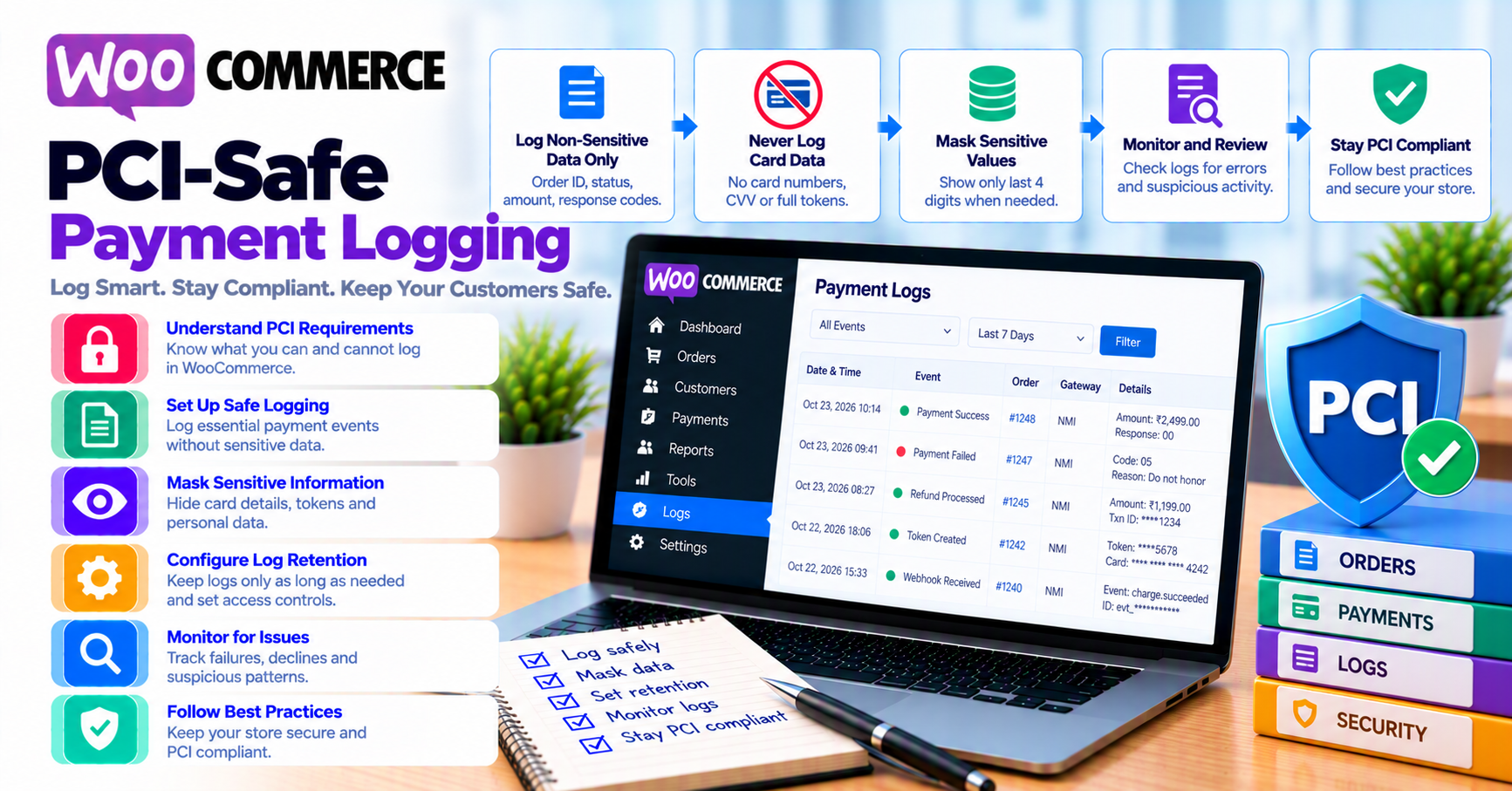
Log transaction IDs, timestamps, amount, currency, payment method type, decline codes (if non-sensitive), and correlation IDs. Never log full card numbers, CVV, magnetic stripe data, or private API keys. Redact automatically in production; restrict log access like production credentials.
1. What PCI scope means for logs
If cardholder data touches your systems (including logs), you may inherit PCI DSS controls for those systems. Hosted and tokenized flows reduce—but do not always eliminate—scope when misconfigured.
Official reference: PCI Security Standards Council. Your SAQ type depends on integration pattern (hosted vs integrated).
2. Safe fields to log
| Field | Use |
|---|---|
| Gateway transaction / payment ID | Support + reconciliation |
| Order ID | Woo correlation |
| Amount and currency | Dispute matching |
| Outcome (approved, declined, pending) | Dashboards |
| 3DS result summary | UX tuning (3DS article) |
| Webhook event ID | Dedup (idempotency) |
| Last 4 (if policy allows) | Support scripts |
Use structured JSON logs where possible—easier to redact fields centrally.
3. Never log these
- Primary Account Number (PAN) full or partial beyond policy
- CVV/CVC (never store after auth—even “for debugging”)
- PIN or track data
- API secret keys, webhook signing secrets
- Raw customer passwords or bank account numbers in custom fields
If a debug plugin logs HTTP bodies, disable on production or enable masking. After incidents, rotate keys—see common mistakes.
4. Order notes vs server logs
Order notes are visible to shop managers—keep them support-friendly, not developer dumps.
Good note:
Gateway auth declined. Txn: ch_abc123. Code: insufficient_funds. 2026-09-12T14:03Z
Bad note:
Full JSON with billing address + token + risk scores you cannot interpret.
Server logs belong on restricted systems with retention limits (e.g. 30–90 days)—align with DPA/GDPR if EU customers.
5. Support tickets and Slack
Train teams:
- Ask customers for order number, not card photos
- Paste transaction IDs, not screenshots of gateway admin with PII
- Escalate repeat declines with BIN country only if policy allows (fraud false positives)
Agencies: include logging rules in go-live runbook.
FAQ
Can I log tokens?
Processor tokens are sensitive—treat as secret-adjacent; avoid public notes.
Does WooCommerce log payments by default?
Core is minimal—plugins add risk; audit WP_DEBUG_LOG on production.
What about PCI scanning?
Logging PAN can fail ASV scans—fix data flows, not just delete files.
Related reading
- How to get PCI DSS certified as a WooCommerce merchant
- Tokenization and saved payment methods
- Security at PatSaTECH (paste from content/pages if publishing)