Quick answer
- Quick answer
- Separate four traffic classes
- Discover the exact callback contract
- Design controls by traffic class
- Order Cloudflare WAF rules safely
- Keep application authentication after the WAF
- Treat rate limits differently
- Run a callback-safe test matrix
- Roll out and monitor the rules
- Troubleshoot blocked callbacks
- FAQ
- Sources
Do not apply one WooCommerce WAF rule to every checkout-related request.
Classify traffic first:
- Shopper pages: humans load cart and checkout in a browser.
- Browser/API requests: checkout JavaScript calls Store API, AJAX, wallet, or payment endpoints.
- Inbound provider callbacks: payment systems send server-to-server webhooks, IPNs, or notifications to the store.
- Outbound WooCommerce webhooks: WooCommerce sends events from the store to another service.
Browser challenges can work on an interactive page. A payment provider’s server cannot complete an interstitial challenge as a shopper would. At the same time, a callback route should not become an unauthenticated hole through the firewall.
Use this pattern:
- Apply shopper controls only to routes and clients that can satisfy them.
- Match the exact callback host, method, path, and documented request shape.
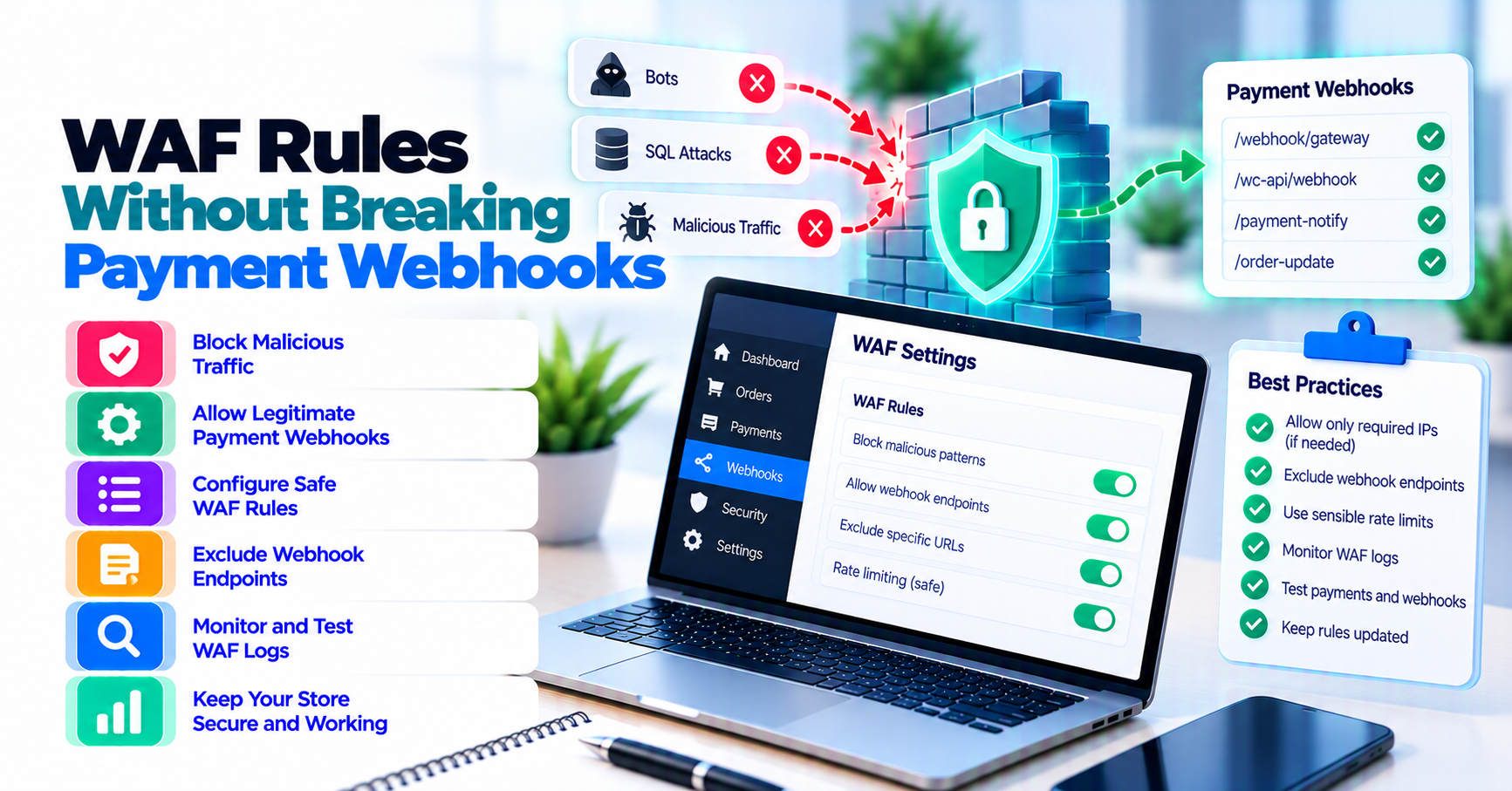
- Place a narrow Skip rule before the specific WAF components that would otherwise block valid callbacks.
- Skip only what the callback needs—not every security layer.
- Keep provider signature verification, timestamp tolerance, replay handling, event deduplication, and order validation in the application.
- Test valid, invalid, duplicate, retried, delayed, and burst callbacks before production.
- Monitor both edge events and provider delivery logs after rollout.
Do not disable the WAF for the whole site. Do not trust a User-Agent as callback authentication. Do not assume an IP allowlist replaces a cryptographic signature.
Separate four traffic classes
The word “webhook” causes confusion because WooCommerce and payment providers can send traffic in opposite directions.
| Traffic class | Direction | Client | Typical need |
|---|---|---|---|
| Shopper page | Browser → store | Human browser | Bot screening, managed challenge, abuse controls |
| Checkout request | Browser → store API/AJAX | Browser JavaScript, wallet, or hosted component | Low-friction validation; avoid challenge responses that break JSON or payment flows |
| Provider callback | Gateway → store | Machine HTTP client | Reachability, signature verification, fast response, safe retries |
| WooCommerce webhook | Store → external URL | WooCommerce server | Outbound delivery, destination authentication, delivery logs |
WooCommerce’s Webhooks documentation describes webhooks created under WooCommerce → Settings → Advanced → Webhooks that deliver WooCommerce events to a configured delivery URL. Those are outbound from the store.
A payment extension can expose a different inbound route for provider callbacks. It may call that route a webhook, IPN, notification, callback, return handler, or event destination. Do not copy the outbound WooCommerce webhook URL into a WAF exception for an inbound processor without verifying the integration.
Browser return URLs are a separate case
A 3-D Secure, wallet, or hosted-payment return URL is normally visited by the shopper’s browser. It is not the same as a provider’s server-to-server callback, even if both relate to the same order.
Over-challenging the return can trap the shopper in a loop. Under-protecting it can expose an application route. Test the documented return behavior separately instead of grouping it with callbacks.
Why one broad /checkout/ rule fails
Modern WooCommerce checkout can involve:
- HTML page loads
- Store API requests
- Classic checkout AJAX
- Payment-provider SDK calls
- Wallet and 3-D Secure browser flows
- Inbound callback endpoints
- Background order updates
A rule that challenges every request containing “checkout” can send HTML challenge content to a JSON client, block a provider callback, or interrupt a wallet. Match the actual request, not a keyword.
Discover the exact callback contract
Do not guess the callback URL from another gateway plugin.
Find it in:
- The installed extension’s current documentation
- The provider dashboard’s endpoint configuration
- A successful sandbox event
- Provider delivery logs
- Sanitized web-server and WooCommerce gateway logs
- The extension’s registered WordPress route or callback handler
Record one row per endpoint:
| Field | Evidence to keep |
|---|---|
| Environment | Sandbox or production |
| Hostname | Exact store host receiving the callback |
| Path | Exact normalized path |
| Query routing | Required parameter names, without secret values |
| HTTP method | Usually documented, not assumed |
| Content type | Provider-documented media type |
| Signature header | Header name and verification owner |
| Body requirements | Raw-body or canonicalization requirements |
| Source network | Official provider guidance, if published |
| Expected response | Status code and response timing |
| Retry behavior | Provider schedule and failure conditions |
| Event identifier | Value used for deduplication |
| Application owner | Team or role that maintains validation |
| WAF owner | Team or role that maintains edge rules |
Query-string callbacks need extra care
Some legacy WooCommerce gateway integrations route through a query parameter rather than a unique path. Matching only / or a broad WordPress path would create an unsafe exception.
Use the exact host, method, path, and required parameter names supported by the integration. Do not place secrets or full callback URLs containing secret query values in screenshots, tickets, or article examples.
Source IP can be supporting evidence, not a guess
Use provider IP ranges only when the provider publishes and maintains them for that callback product. Plan how updates reach the WAF configuration.
Do not scrape one observed IP and treat it as permanent. Do not rely on IP alone when the provider supplies signatures. Shared cloud infrastructure, retries, regional delivery, and undocumented changes can make a brittle allowlist fail.
Design controls by traffic class
Use a matrix before writing rules.
| Traffic | Appropriate edge behavior | Controls that must remain |
|---|---|---|
| Checkout HTML | Managed challenge or bot rule only when evidence supports it | HTTPS, managed WAF protections, application validation |
| Store API/AJAX | Avoid interstitial challenge responses unless the client explicitly handles them | Request validation, nonce/session controls, narrow rate rules |
| Wallet/3DS return | Test browser compatibility and redirects | State/order validation, provider response verification |
| Provider callback | No browser challenge; narrowly skip only incompatible components | Signature, timestamp, raw-body handling, deduplication, order checks |
| Woo outbound webhook | Inbound WAF normally does not govern the outbound request | Woo secret/hash, delivery logs, destination controls |
Shopper controls
Cloudflare custom rules match incoming requests with an expression and apply actions such as Block, Managed Challenge, or Skip. Rules are evaluated in order, and a terminating action can stop later evaluation.
For shoppers:
- Target the smallest checkout operation that is abused.
- Base the rule on real traffic and known client behavior.
- Test accessibility, wallets, mobile browsers, and authentication returns.
- Keep a rollback.
- Monitor conversion and errors as well as blocked requests.
This is not another card-testing response guide. The completed PatSaTECH card-testing bundle handles active abuse, suspicious payments, bot checks, and velocity. Here, the goal is preventing an edge control from breaking machine callbacks.
Machine callback controls
For inbound callbacks:
- Do not send an interstitial challenge.
- Do not require browser cookies or JavaScript.
- Do not reuse shopper rate thresholds.
- Match the endpoint narrowly.
- Keep compatible managed protections where tested.
- Preserve the raw body and signature headers.
- Return the provider’s expected response promptly after required validation.
Cloudflare’s Interstitial Challenge Pages documentation describes a challenge page as a gate shown before a visitor reaches the destination. That model is designed around visitor verification, not an arbitrary payment server expecting an API response.
Order Cloudflare WAF rules safely
Cloudflare’s current documentation matters because feature interactions and plan availability change.
Cloudflare’s security-feature interoperability guide documents the execution order of custom rules, rate limiting, managed rules, and Super Bot Fight Mode. It also explains that terminating actions stop request evaluation and that Skip actions can bypass later phases.
Put the narrow callback rule before broad blockers
A safe conceptual order is:
- Exact callback classification: match the production callback’s host, method, path, and documented routing fields.
- Narrow Skip action: bypass only the selected incompatible rules or products.
- Wrong-method rejection: where provider documentation makes the method unambiguous.
- Shopper abuse controls: challenges or blocks for browser-facing checkout traffic.
- Path-specific rate limits: based on each traffic class.
- General managed protections: for the rest of the application.
This is an architecture, not a copy-paste expression. Replace every condition with evidence from the actual store.
Skip is not “trust this request”
Cloudflare’s Skip-action documentation lets a matching custom rule bypass selected security features. Use the least bypass:
- One known rule rather than all remaining custom rules, when possible
- A selected managed ruleset or phase rather than the entire WAF
- Callback-specific rate-limit exclusion rather than disabling all rate limits
- Super Bot Fight Mode only where available and necessary
The interoperability documentation notes that Bot Fight Mode cannot be skipped because it is not part of the Ruleset Engine. Plan and feature availability differ. Verify the deployed zone’s exact Cloudflare products before promising that a Skip rule covers them.
Skip does not prove the request came from the provider. The application must still authenticate it.
Avoid broad bypass patterns
Do not skip controls for:
- All
POSTrequests - Every path under
/wp-json/ - Every request containing
webhook - The full
wc-apirouting surface - A user agent string alone
- The entire payment provider ASN without provider guidance
- The whole site during a callback incident
Broad exceptions become undocumented public API surfaces.
Keep application authentication after the WAF
The WAF and the payment extension solve different problems.
The WAF can:
- Match host, method, path, headers, source network, and other request properties
- Block known attack patterns
- Apply rate rules
- Record edge security events
The application can:
- Verify the provider’s cryptographic signature
- Enforce timestamp tolerance
- Preserve and verify the exact payload
- Match the event to the expected merchant account and environment
- Deduplicate event IDs
- Validate amount, currency, order, and state transition
- Return a safe response
Preserve the raw request body
Stripe’s webhook documentation says signature verification requires the raw request body and recommends returning a successful 2xx response quickly before complex processing. Its signature troubleshooting guide warns that manipulating the raw body causes verification failure.
Stripe is one example. Follow the selected provider’s signature instructions.
Review edge Workers, request transforms, body parsers, security plugins, and middleware that might alter the body or remove headers before the extension verifies them.
Test invalid requests too
A valid callback reaching the application is only half the test. Send provider-supported test events and confirm:
- Correctly signed event is accepted.
- Missing or invalid signature is rejected.
- Stale timestamp is rejected when the provider specifies a tolerance.
- Replayed event ID does not repeat the business action.
- Event for the wrong account, environment, amount, currency, or order is not applied.
Do not publish real endpoint secrets or production payloads in the test record.
Treat rate limits differently
Cloudflare rate-limiting rules define limits for requests matching an expression and apply an action when the rate is exceeded.
Shopper payment attempts and provider callback deliveries have different traffic patterns.
Shopper-facing attempts
Useful dimensions can include path, session, account, device, IP, and application-level attempt velocity where supported. A household, mobile carrier, school, or office can share an IP, so a single IP threshold is not a complete fraud control.
Provider callbacks
Callbacks can burst because:
- Many orders complete together.
- A provider recovers from an outage.
- A failed endpoint triggers retries.
- Subscription or settlement events arrive in batches.
- Multiple event types target one endpoint.
A shopper threshold can turn normal callback recovery into repeated 429 or challenge responses. Base any callback limit on provider documentation and observed volume, with enough capacity for retries and incidents.
For Stripe, the webhook documentation says live-mode delivery is retried for up to three days with exponential backoff. A blocked delivery can therefore create a long tail of retries. Other providers differ.
Rate limiting is not event deduplication. The application still needs to no-op a duplicate event safely.
Run a callback-safe test matrix
Use sandbox or the provider’s test-event tooling. Do not trigger fake card traffic on production payment rails.
Callback tests
| Test | Expected edge result | Expected application result |
|---|---|---|
| Valid signed event | No browser challenge; reaches origin | Signature passes; event applied once; expected response returned |
| Missing signature | Reaches only if the narrow skip permits the route | Application rejects; no order change |
| Invalid signature | Same path behavior as valid event | Application rejects; no order change |
| Duplicate event ID | Reaches origin | Safe no-op; no duplicate fulfillment or refund |
| Provider retry | Reaches origin | Same event remains idempotent |
| Short legitimate burst | No shopper threshold applied | Events processed within capacity |
| Wrong method | Blocked or rejected according to documented contract | No order change |
| Wrong path or host | No callback exception | Normal WAF policy applies |
| Oversized or malformed body | Compatible WAF controls remain where tested | Application rejects safely |
Shopper tests
- Guest and signed-in checkout
- Checkout block and classic checkout if both are supported
- Store API and classic AJAX requests
- Successful and declined sandbox payment
- Wallet or express payment
- 3-D Secure or hosted redirect return
- Missing and replayed bot-challenge token if a checkout challenge is used
- Repeated payment attempts that should hit the intended rate rule
- Accessibility and reduced-JavaScript scenarios
Outbound WooCommerce webhook tests
Because WooCommerce core webhooks are outbound, verify them separately:
- Correct delivery URL
- Secret/hash behavior
- Destination response
- WooCommerce delivery log
- Retry or disable behavior documented by WooCommerce
Do not diagnose an outbound delivery failure by changing an inbound Cloudflare Skip rule.
Use the environment discipline in staging versus production payment testing.
Roll out and monitor the rules
Before deployment
- Export or record the current WAF rules and order.
- Record current webhook success, latency, and retry baseline.
- Identify rollback owner.
- Confirm provider test-event access.
- Confirm application signature and deduplication tests already pass.
- Check Cloudflare plan and feature availability.
During deployment
- Create the exact callback matcher.
- Apply the smallest Skip scope.
- Place it before the incompatible broad rule.
- Send a valid test event.
- Send an invalid-signature test.
- Complete a sandbox checkout and callback.
- Test shopper abuse controls.
- Confirm outbound WooCommerce webhooks separately.
After deployment
Cloudflare Security Events can show requests affected by security rules. The documentation notes sampled logs and known limitations, so do not treat the dashboard as a complete financial audit trail.
Correlate:
- Cloudflare action, service, rule, timestamp, and request identifier
- Provider delivery attempt and HTTP result
- Web-server request
- WooCommerce gateway log
- Order note and status transition
PatSaTECH’s webhook monitoring guide covers ongoing HTTP status, latency, signature, and order-note monitoring.
Keep a focused watch window after every WAF, bot, rate-limit, CDN, plugin, payment-provider, DNS, or TLS change.
Troubleshoot blocked callbacks
Provider shows 403
- Match the provider delivery timestamp and endpoint.
- Search Cloudflare Security Events for the path and time.
- Identify the terminating rule or product.
- Confirm the callback matcher uses the correct host, method, path, and query structure.
- Adjust only the incompatible rule or skip scope.
- replay a provider test event.
- Confirm signature verification and order update.
Do not disable all WAF protections as the first step.
Provider receives challenge HTML
The callback matched a challenge action or feature. Machine clients generally expect an API response, not an interstitial page. Fix the rule classification and ordering, then retest.
Valid callback reaches WordPress but signature fails
Check:
- Correct environment and endpoint secret
- Raw-body preservation
- Signature header forwarding
- Reverse-proxy or Worker transformations
- Framework body parsing
- System clock where the provider uses timestamp tolerance
Do not solve signature failure by turning validation off.
Events arrive twice
WAF rules do not replace idempotent event handling. Providers retry when delivery fails or times out. Store the provider event ID and make duplicate processing a safe no-op.
Checkout breaks but callbacks work
The shopper rule may be challenging Store API, AJAX, wallet, or return traffic. Re-run the traffic-class matrix. A callback exception cannot fix a browser route classified incorrectly.
Many failures follow provider recovery
Callback retry bursts can resemble abuse. Compare the provider incident, delivery schedule, edge actions, origin capacity, and queue behavior. Use the incident process in payment gateway outage resilience rather than dropping protections globally.
FAQ
Should I allowlist the payment provider’s IP addresses?
Only if the provider publishes and maintains ranges for that exact callback service. Use them as one signal, not a substitute for signatures, timestamp checks, event deduplication, and order validation.
Can I use Managed Challenge on a webhook endpoint?
No browser-style challenge should be expected to work for a server-to-server callback. Exclude the exact endpoint from the incompatible challenge while retaining narrow compatible controls and application authentication.
Does a Cloudflare Skip rule allow the request automatically?
Skip bypasses selected Cloudflare rules or phases for a match. It is not proof of provider identity and does not replace application signature verification.
Why did my Skip rule not bypass Bot Fight Mode?
Cloudflare’s feature-interoperability documentation says Bot Fight Mode cannot be skipped because it is outside the Ruleset Engine. Super Bot Fight Mode and plan-specific products have different controls. Verify the active feature set.
Should callback endpoints have no rate limit?
Not necessarily. They should not inherit shopper thresholds. If you rate-limit callbacks, use provider guidance, observed retry and burst behavior, origin capacity, and a tested recovery path.
Are WooCommerce webhooks the same as payment gateway callbacks?
No. WooCommerce webhooks configured in WooCommerce settings are outbound store events. Payment gateway callbacks are inbound provider requests handled by a gateway extension. Inventory both directions.
Can I match callbacks by User-Agent?
Use it only as supporting telemetry. It is easy to spoof and can change. Prefer the exact endpoint contract, documented provider networks where available, and cryptographic application verification.
What should support collect for a blocked callback?
Timestamp with timezone, order ID, provider event or request ID, endpoint, provider HTTP result, Cloudflare rule/action reference, and sanitized WooCommerce log entries. Never collect card data or signing secrets.
Sources
Primary sources accessed September 20, 2026:
- Cloudflare WAF — Custom rules
- Cloudflare WAF — Configure a custom rule with the Skip action
- Cloudflare WAF — Security features interoperability
- Cloudflare WAF — Rate limiting rules
- Cloudflare WAF — Security Events
- Cloudflare Challenges — Interstitial Challenge Pages
- Stripe Docs — Receive events in your webhook endpoint
- Stripe Docs — Resolve webhook signature verification errors
- WooCommerce — Webhooks
This article provides general technical guidance, not a universal firewall policy. Validate callback URLs, signatures, source networks, feature availability, and test cases against your payment provider, extension, Cloudflare plan, host, and security requirements.