Quick answer
- Quick answer
- What the PCI DSS script controls ask for
- Define the payment-page test surface
- Discover scripts as the browser receives them
- Build a useful inventory
- Authorize scripts and justify necessity
- Document an integrity method
- Monitor payment pages for change
- Triage a script-change alert
- Run the recurring review
- FAQ
- Sources
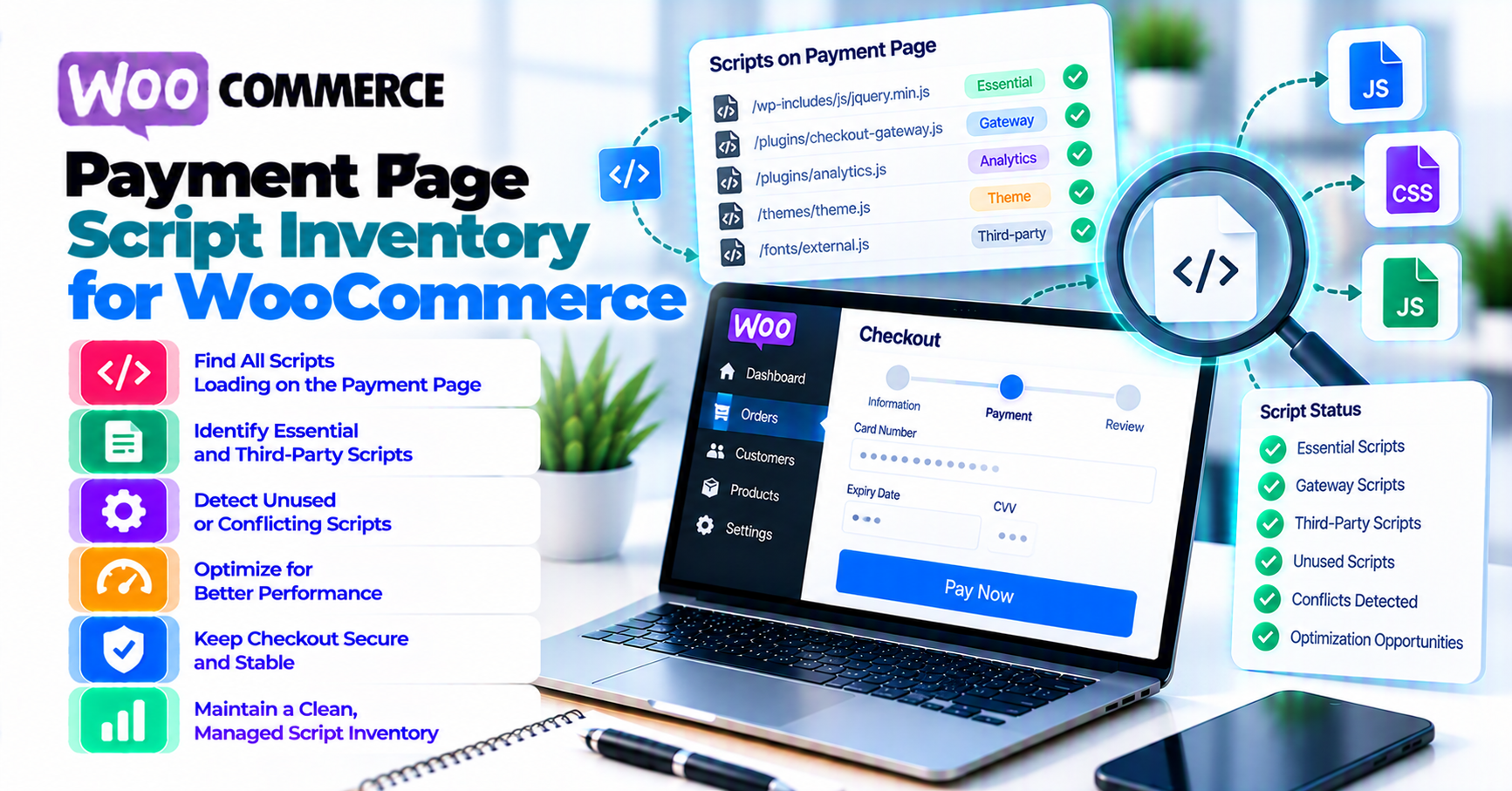
A WooCommerce payment page script inventory should describe what a shopper’s browser actually loads and executes on each payment surface—not merely list installed WordPress plugins.
Use this workflow:
- Define the checkout pages and states that may affect payment security.
- Observe loaded scripts in a clean browser session.
- Map every script to its origin, WordPress handle or injector, owner, purpose, and load condition.
- Record who authorized it and why it is necessary.
- Document the method used to provide integrity assurance for that script.
- Establish a known-good browser-visible baseline, including relevant payment-page headers.
- Alert on additions, removals, source changes, inline-code changes, and security-header changes.
- Triage every alert as approved change, expected dynamic behavior, misconfiguration, or suspected compromise.
- Review stale scripts and evidence on a defined schedule.
Do not call a spreadsheet “PCI compliant.” Do not assume a security plugin inventories browser-loaded checkout code. Do not approve an entire tag manager, CDN, or plugin directory without identifying the scripts and business reasons that apply to the payment page.
What the PCI DSS script controls ask for
The PCI SSC document library publishes PCI DSS v4.0.1 and supporting material. Two requirements are central to payment-page scripts:
- Requirement 6.4.3 addresses scripts loaded and executed in the consumer’s browser in the context of payment pages. At a high level, each script needs authorization, an integrity-assurance method, and an inventory with written justification for why it is necessary.
- Requirement 11.6.1 addresses detecting and alerting on unauthorized modification to payment-page content and security-impacting HTTP headers as received by the consumer’s browser, using the cadence defined by the requirement or a documented targeted risk analysis where applicable.
Use the Council’s current Guidance for PCI DSS Requirements 6.4.3 and 11.6.1 with the standard—not a vendor summary alone.
Embedded forms do not make the merchant page irrelevant
PCI SSC FAQ 1588 clarifies a specific SAQ A eligibility criterion for ecommerce pages that include a third-party payment provider’s embedded form or iframe. It says a merchant can use techniques such as those in Requirements 6.4.3 and 11.6.1, or obtain confirmation from the compliant payment provider that its correctly implemented solution protects the merchant payment page from script attacks.
The FAQ also distinguishes embedded payment forms from redirects and fully outsourced payment flows for that specific eligibility criterion. It tells merchants to work with their provider and compliance-accepting entity.
That nuance matters: this article provides an implementation worksheet, not an SAQ decision. Review PatSaTECH’s plain-English PCI scope guide before deciding which pages and requirements apply to your environment.
Inventory, integrity, and change detection are different evidence
- Inventory: What executes, where it comes from, who owns it, and why it is needed.
- Authorization: Who approved the script and the conditions of that approval.
- Integrity assurance: How the organization gains confidence the script behaves as authorized.
- Change detection: How unauthorized or unexpected page and header changes are identified and escalated.
One control does not automatically prove the others. A Content Security Policy can contribute to a control strategy, but an allowlist is not by itself a written necessity justification. A file hash can detect a static change, but it does not identify why a script is authorized. A plugin list does not show scripts injected by a tag manager or hosting layer.
Define the payment-page test surface
Start with candidate payment surfaces, then confirm applicability with the entity accepting your compliance validation.
For WooCommerce, candidates can include:
- Checkout block page
- Classic shortcode checkout
- Order-pay endpoint
- My Account add-payment-method flow
- Subscription payment-method change flow
- Cart or product page when an express payment button can initiate payment
- Redirect-return or authentication pages that load merchant-controlled code
- Custom headless checkout routes
Do not silently expand or narrow PCI scope from a blog checklist. The point is to avoid missing a browser page that can influence payment entry or the embedded payment component.
Build a state matrix
The script set can change with:
- Guest versus signed-in shopper
- Desktop versus mobile layout
- Billing or shipping country
- Store or display currency
- Physical, virtual, subscription, or pre-order cart
- Selected payment method
- Wallet availability
- Consent choice
- 3-D Secure or redirect return
- Checkout block versus classic checkout
A single empty cart visit is not a representative inventory.
WooCommerce’s Checkout payment-method integration documentation shows that payment methods register scripts and client-side behavior for Checkout blocks and can be active only under certain conditions. Record the states that make each method and script appear.
Discover scripts as the browser receives them
Use a clean staging environment that mirrors production’s checkout delivery layers. The inventory should reflect the browser response after WordPress, the theme, plugins, CDN, consent platform, tag manager, optimization layer, and payment provider have all contributed.
1. Start from a controlled browser profile
- Use a fresh profile or private session.
- Disable personal browser extensions.
- Record browser version, device class, URL, time, and test state.
- Use provider-supplied sandbox data.
- Keep production customer data out of the capture.
2. Capture the initial document and network activity
In browser developer tools:
- Preserve the Network log across redirects.
- Filter resources by JavaScript.
- Record script request URL, initiator, response status, redirect, and timing.
- Note inline scripts and dynamically inserted elements.
- Capture relevant response headers for the payment page.
A simple read-only console view can help seed the list:
[...document.scripts].map(({ src, type, integrity, crossOrigin }) => ({
  src: src || "[inline]",
  type: type || "classic",
  integrity: integrity || "",
  crossOrigin: crossOrigin || "",
}));
This is not a complete scanner. It can miss scripts that executed and were removed, cross-origin iframe internals, workers, extension-injected code, and requests created outside <script> elements. Use it alongside the Network log and your approved monitoring method.
3. Handle evidence safely
HAR files, console exports, and screenshots can contain:
- Session cookies
- Customer addresses
- Tokens
- Query parameters
- Request and response bodies
- Internal hostnames
Sanitize evidence before attaching it to tickets. Store the minimum needed under restricted access. A script inventory should not create a second data-exposure problem.
4. Repeat every planned state
Run the matrix systematically. Label each capture with the state that produced it. Merge identical scripts only after confirming their source, purpose, and behavior are truly the same.
Build a useful inventory
Use one row per script or explicitly defined script family when your assessor and control design accept that grouping.
| Field | What to record |
|---|---|
| Inventory ID | Stable internal reference |
| Payment surface | Checkout, order-pay, add method, express button, or other reviewed page |
| Test state | Guest/login, cart type, country, currency, payment method, consent state |
| Script URL or inline identifier | Exact observed source or a stable fingerprint for inline code |
| Origin | First-party host, payment provider, CDN, tag manager, consent vendor, analytics vendor |
| WordPress source | Plugin, theme, mu-plugin, custom code, host injection, tag manager, unknown |
| Script handle or package | Registered WordPress handle or build/package reference where known |
| Owner | Named team or role responsible for approval and review |
| Business purpose | Specific function performed on the payment page |
| Written necessity | Why checkout needs it and what breaks if it is removed |
| Load condition | Which page and state causes it to execute |
| Authorization evidence | Change ticket, vendor documentation, owner approval, and approval date |
| Integrity approach | The chosen technical or procedural method and its evidence |
| Expected change pattern | Static, versioned release, provider-managed dynamic script, inline configuration |
| Last observed and reviewed | Timestamps, reviewer, and result |
| Removal or expiry criterion | When the authorization must be reconsidered |
Map the browser script back to WordPress
WordPress’s script-enqueueing documentation describes wp_enqueue_script() and dependency handling. Use registered handles, plugin code, theme code, and dependency metadata to trace first-party resources.
Then look beyond WordPress:
- Tag-manager containers can insert additional vendors.
- Consent tools can load different scripts after acceptance.
- Performance tools can combine, delay, rewrite, or proxy script URLs.
- A CDN or host can inject monitoring or optimization code.
- Payment SDKs can load additional resources dynamically.
Do not label an unknown script “WooCommerce” merely because it appears on checkout. Find the actual injector and owner.
Record absence as well as presence
If a script is expected only when a particular payment method is selected, record that condition. If it unexpectedly disappears, checkout can fail even though no unauthorized script was added. The baseline should support both security and availability investigation.
Authorize scripts and justify necessity
Authorization should be reviewable after the employee who approved the script has moved on.
For each item, answer:
- Who requested it?
- Who approved it?
- Which exact origin, path, handle, or inline component is approved?
- Which payment-page states need it?
- What business or payment function does it perform?
- Which data or DOM elements can it access?
- What is the integrity-assurance method?
- When does the approval expire or require review?
- What is the safe removal and rollback plan?
“Marketing needs analytics” is too broad. A stronger justification identifies the event, why it must run on the payment page rather than after purchase, the owner, and the minimum data it receives.
Avoid blanket authorization
Do not authorize:
- Every script from a broad CDN domain
- Every current and future tag in a container
- Every file shipped by an installed plugin
- Any inline script generated by a known user role
Authorization should match the control you can monitor. Broad wildcards make change alerts less meaningful.
Remove before adding a control
If a script is unnecessary on checkout, stop loading it there. A smaller script set is easier to justify, test, and monitor. Do not keep obsolete analytics or abandoned A/B tests merely because the monitoring tool can see them.
Document an integrity method
PCI DSS does not turn one browser feature into a universal answer for every WooCommerce script. Choose a method appropriate to how the resource is delivered, and validate it with your assessor or compliance-accepting entity.
Possible evidence can include combinations of:
- Cryptographic hashes or signed build artifacts for controlled static files
- Subresource Integrity for compatible static external resources
- Content Security Policy controls and reporting
- Deployment provenance and approval records
- Provider-supported script controls
- Browser-side behavior or change monitoring
- Version pinning where the provider supports it
- File-integrity monitoring for first-party assets
Do not force SRI onto a provider-managed dynamic SDK
Subresource Integrity expects content to match a declared hash. Some payment providers intentionally update a stable SDK URL. Pinning an unsupported copy or stale hash can break security updates or checkout.
Follow the payment provider’s documented loading model. If SRI is not supported, document the alternative integrity approach and the reason. “No hash” should lead to an explicit control decision, not an empty cell.
CSP is useful but not a complete inventory
A carefully designed Content Security Policy can restrict sources and produce violation reports. It can also break hosted fields, wallets, fraud tooling, or 3-D Secure when changed casually.
Test CSP changes in staging with the full state matrix. PatSaTECH’s SSL and insecure-checkout guide covers related blocked-script and mixed-content diagnosis, but CSP design and PCI evidence need their own review.
Protect the system that protects checkout
WordPress hardening guidance emphasizes secure hosting, current software, protected administration, and appropriate access. Limit who can:
- Install or edit plugins and themes
- Change tag-manager containers
- Modify consent rules
- Edit custom checkout code
- Change CDN or WAF transformations
- Silence monitoring alerts
- Approve script inventory changes
An attacker who controls both the payment page and its baseline can make malicious code look normal.
Monitor payment pages for change
The monitoring design should view the page in a way that resembles the consumer browser.
Track changes such as:
- New or removed script elements
- Changed script source, origin, path, or redirect
- Inline-script changes
- Changed integrity or cross-origin attributes
- Unexpected dynamic script injection
- Changes to payment-page content that can affect payment security
- Changes to security-impacting HTTP headers
- Missing expected payment SDKs
- Approved scripts appearing in unapproved states
Baseline the page, not only the file system
Server file monitoring cannot see:
- Tag-manager changes
- Compromised third-party scripts
- CDN or proxy injection
- Database-stored inline code
- Runtime DOM injection
- Changed response headers
Use a browser-visible baseline and retain enough evidence to explain the alert.
Normalize only documented variability
Payment pages legitimately vary by nonce, session, locale, experiment, cart, consent, and provider state. If every request produces an alert, operators will ignore the monitor.
Document each normalization rule:
- Field being ignored
- Reason it varies
- Owner
- Security impact considered
- Approval date
- Test proving malicious script changes still alert
Do not normalize an entire inline block simply because one nonce changes.
Set the correct review cadence
Requirement 11.6.1 includes a defined evaluation frequency and an option tied to a documented targeted risk analysis where applicable. Use the current standard and assessor guidance to set the cadence. Continuous monitoring can improve detection, but buying a “continuous” scanner does not by itself prove the inventory, authorization, integrity, response, or evidence requirements.
Triage a script-change alert
Treat an unexplained payment-page change as a security-relevant event until classified.
1. Preserve evidence
Record:
- Alert time and timezone
- Affected URL and test state
- Added, removed, or changed resource
- Response headers
- Script origin and initiator
- Deployment, plugin, theme, tag-manager, consent, CDN, and host changes near that time
- Browser and monitor location
Do not collect card data. Do not paste a live session export into an unrestricted chat.
2. Check approved change records
Match the alert to a named deployment or vendor notice. “The plugin auto-updated” explains a possible cause; it is not authorization evidence by itself.
Verify:
- Expected version and source
- Changelog or provider notice
- Owner approval
- State-matrix regression results
- Updated inventory and integrity evidence
3. Classify the outcome
- Approved and expected: update the baseline after review.
- Legitimate but unapproved: stop, assess impact, complete change control, and decide whether to retain or remove.
- Monitoring defect: correct the narrow normalization rule and retest detection.
- Unknown or suspicious: follow the incident process, preserve evidence, and involve the host, gateway, acquirer, security team, or assessor as appropriate.
4. Contain safely
Do not wipe logs, blindly purge every cache, or rotate every payment credential before understanding the evidence. If active skimming or unauthorized code is suspected, protecting customers takes priority; follow the incident and provider instructions for disabling the affected path or placing checkout into a safe state.
After an approved fix:
- Verify the unauthorized or broken resource is gone.
- Re-run all payment-page states.
- Confirm payment, authentication, wallets, redirects, and callbacks still work.
- Update inventory, authorization, and integrity evidence.
- Establish the reviewed baseline.
- Record corrective actions and owners.
Run the recurring review
At each review:
- Re-crawl every documented payment surface and state.
- Compare observed scripts and headers with the approved baseline.
- Investigate unknown, missing, or moved resources.
- Confirm each owner still exists and accepts responsibility.
- Revisit written necessity.
- Remove stale scripts and wildcard approvals.
- Check provider and plugin documentation for delivery-model changes.
- Review access to WordPress admin, tag managers, CDN, consent, and monitoring.
- Test that an unauthorized test change creates an alert in staging.
- Record reviewer, date, evidence, exceptions, and next review.
Minimum WooCommerce regression matrix
- Checkout block and classic checkout if both are supported
- Guest and signed-in shopper
- Physical and virtual cart as applicable
- Supported country and currency combinations
- Each enabled payment method
- Wallet or express checkout when offered
- 3-D Secure or redirect return
- Order-pay and saved-method pages when applicable
- Consent accepted and rejected
- Mobile and desktop
Use only provider-supplied sandbox data. Do not generate card traffic against production to test script monitoring.
The useful outcome is not a larger spreadsheet. It is a smaller, owned, justified, observable payment-page script set with a rehearsed response when that set changes.
FAQ
Is the installed-plugin list a payment-page script inventory?
No. Plugins can enqueue multiple scripts, load them conditionally, or inject inline code. Scripts can also come from the theme, tag manager, consent tool, host, CDN, or payment provider. Inventory what the browser receives and map it back to the source.
Do redirect checkouts need the same inventory?
PCI SSC FAQ 1588 distinguishes redirects and fully outsourced payment flows from embedded payment forms for the specific SAQ A script eligibility criterion it explains. Your broader obligations still depend on the actual architecture and validation path. Confirm with the entity accepting your compliance evidence.
Does an iframe remove script risk from the merchant page?
No blanket assumption is safe. Merchant-page scripts can affect the surrounding page, and FAQ 1588 specifically addresses pages with embedded provider forms. Follow the provider’s implementation instructions and your assessment requirements.
Must every script use Subresource Integrity?
Not necessarily. SRI can suit static external files, but some provider-managed scripts change at a stable URL and do not support pinning. Document the approved integrity method for each script and verify it with the provider and assessor.
Does CSP satisfy Requirements 6.4.3 and 11.6.1?
CSP can contribute to authorization, restriction, and reporting, but it does not automatically supply the complete inventory, written necessity, integrity evidence, monitoring, triage, and review process.
How often should the monitor check?
Use the current text of Requirement 11.6.1 and any documented targeted risk analysis option that applies to your assessment. Do not choose a cadence solely from a tool’s default setting.
Should the inventory include analytics and chat widgets?
If they load or execute on an applicable payment page, evaluate them rather than assuming they are harmless. The best control may be to remove them from checkout.
What should happen after a plugin update?
Run the state matrix, compare browser-observed scripts and headers, investigate changes, update authorization and integrity evidence, then approve a new baseline. Do not auto-accept every difference from a signed plugin release.
Sources
Primary sources accessed September 20, 2026:
- PCI Security Standards Council — Document Library
- PCI SSC — Guidance for PCI DSS Requirements 6.4.3 and 11.6.1
- PCI SSC FAQ 1588 — SAQ A eligibility criteria for scripts
- WordPress Plugin Handbook — Server Side PHP and Enqueuing
- WordPress Advanced Administration Handbook — Hardening WordPress
- WooCommerce developer docs — Payment method integration
This article is educational and does not provide legal, forensic, or PCI compliance certification. Confirm scope, applicability, testing procedures, evidence, and compensating or customized controls with your acquirer, compliance-accepting entity, or qualified assessor.