Introduction
Payment gateway plugins sit on the critical path for revenue. A routine auto-update can change webhook signatures, Blocks checkout behavior, or 3-D Secure routing without a dramatic version number in the admin UI.
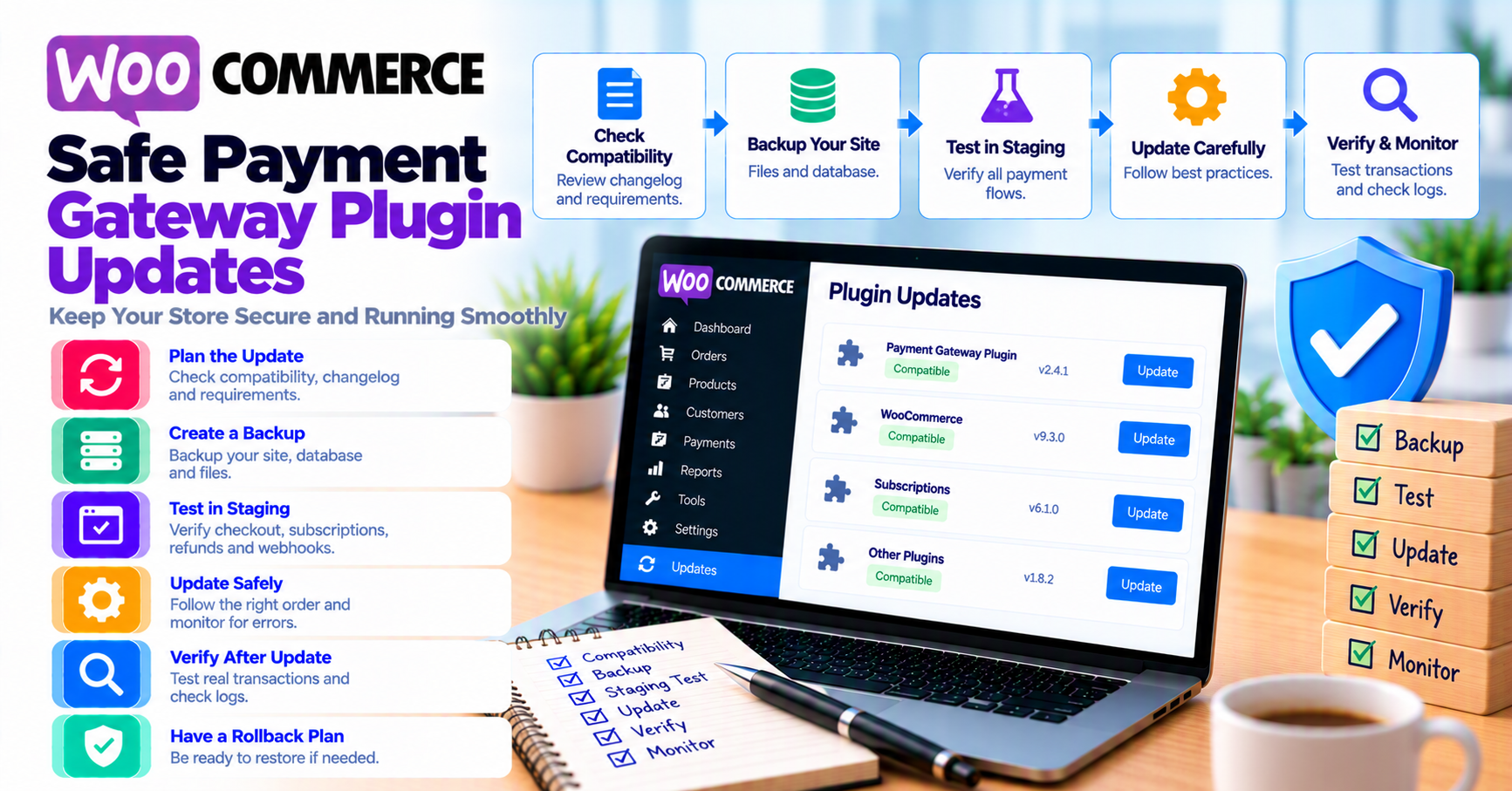
This playbook is for merchants and agencies who want predictable updates: read the changelog, test on staging, roll to production in a controlled window, and know how to rollback. It builds on common payment gateway mistakes, staging vs production payment testing, and WooCommerce HPOS and gateway plugins.
Quick answer
Never update gateway + WooCommerce + PHP all at once without a test pass. On staging, run pay → webhook → refund (and subscription renewal if applicable), then update production during low traffic with webhook monitoring enabled. Keep previous plugin ZIP or host snapshot for rollback.
1. Before you click Update
Read the changelog for:
- Breaking API or webhook changes
- HPOS or Blocks compatibility notes
- Minimum WooCommerce / PHP bumps
- Deprecations (e.g. legacy checkout hooks)
Snapshot:
- Database + files (host backup or staging clone)
- Export gateway settings screenshots (no secret keys in tickets—use placeholders)
- Note current plugin version in change log for support
If you are buying support renewals, align license state before update—see buying a payment gateway plugin.
2. Staging test matrix
Minimum sandbox cases (adapt to your gateway):
| Case | Pass criteria |
|---|---|
| Successful sale | Order processing/completed; gateway ID in notes |
| Declined card | Clear customer message; order failed/pending as designed |
| 3DS challenge | Challenge completes; no duplicate charge (3DS article) |
| Refund from Woo | Gateway + Woo statuses align (refunds reconciliation) |
| Webhook retry | Idempotent handling (idempotency guide) |
| Wallet pay | Apple Pay / Google Pay if enabled (digital wallets) |
Run matrix on classic and Blocks checkout if both are in use.
3. Production rollout
- Announce change window to support (even if “low risk”)
- Update one critical component at a time when possible
- Watch gateway dashboard and webhook monitoring for 24–48 hours
- Compare authorization rate and error codes to pre-update baseline (payment analytics)
Avoid Friday afternoon updates unless rollback is automated.
4. When WooCommerce core updates too
Coupled releases multiply risk. Order of operations many agencies use:
- Staging: WooCommerce core → theme compatibility → gateway plugin
- Verify HPOS status unchanged or retest if toggled
- Re-run SSL and checkout smoke tests (SSL insecure checkout)
Document results in client runbooks—see agency payment gateway go-live runbook.
5. Rollback and communication
Rollback triggers: checkout 500 errors, 100% webhook failure, duplicate captures, broken refunds.
Steps:
- Deactivate new version; reinstall last known good ZIP
- Clear opcode / page cache if checkout is cached
- Post status to support macros; do not ask customers to retry blindly during active duplicate risk (duplicate payments)
FAQ
Should I enable auto-updates for gateway plugins?
Usually no for high-volume stores—use manual updates with this matrix.
What if the vendor says “delete and reinstall”?
Export settings first; retest webhooks—URLs sometimes reset.
Does update order matter with multiple gateway plugins?
Update active gateway first; retest routing if you use failover (outage resilience).