Introduction
High-traffic WooCommerce stores often discover that “fraud” tickets are really AVS formatting issues, wallet token mismatches, or issuer soft declines after a BIN range incident. Building a shared vocabulary across support, finance, and engineering prevents thrash: everyone should know where to look first (gateway response code) before opening a plugin bug.
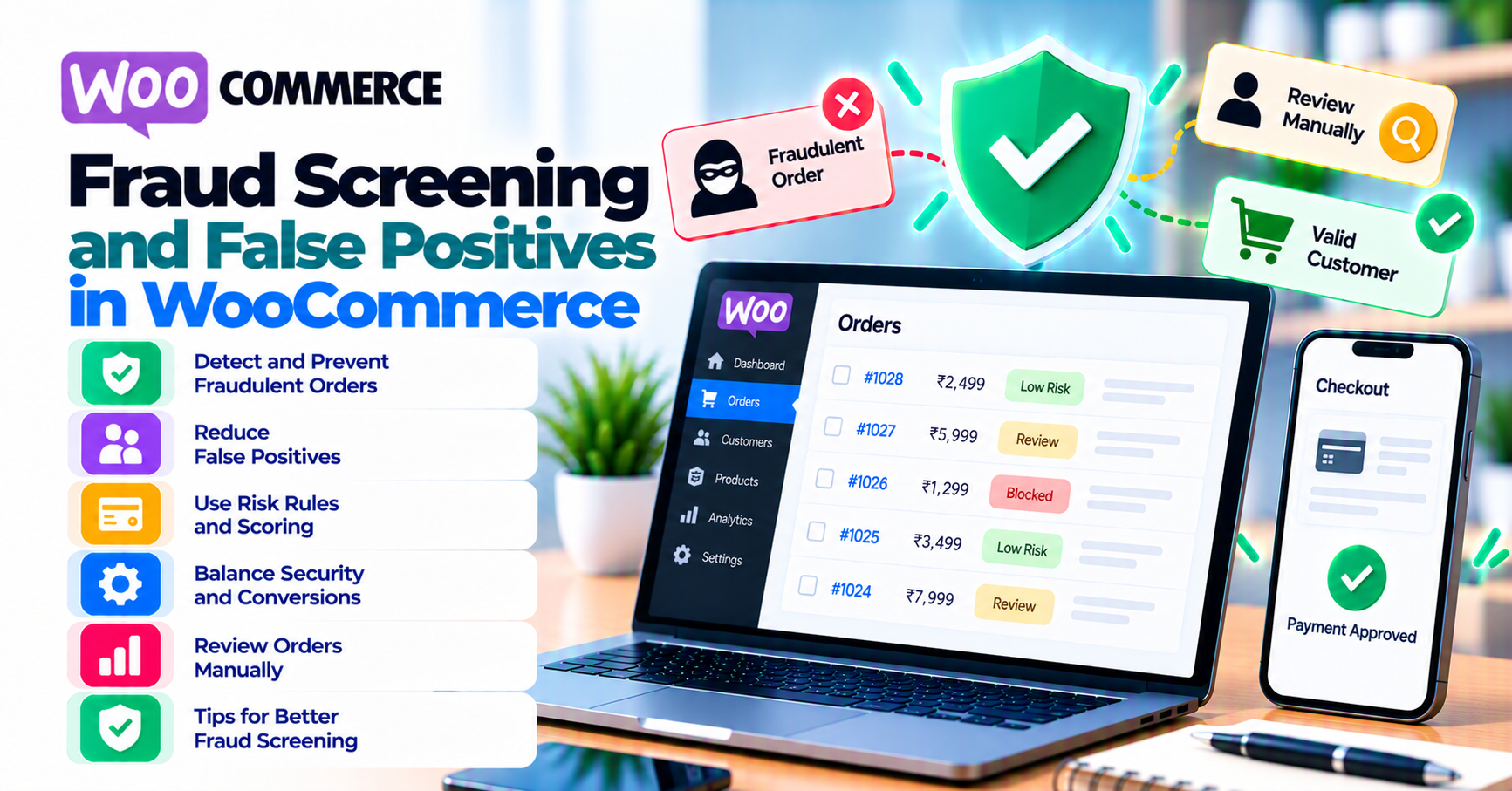
Fraud screening on ecommerce happens in layers: gateway filters, processor risk scores, issuer authorization decisions, and sometimes your own velocity rules in WooCommerce or a dedicated fraud plugin. When legitimate customers are blocked or declined, teams often call it a “false positive”—but the root cause might be AVS mismatch, VPN IP, billing typos, or issuer policy, not a single “fraud slider.”
This guide helps WooCommerce operators triage declines, reduce preventable friction, and document changes so finance and support stay aligned. Pair it with real-time fraud tools, payment failure recovery, and payment gateway analytics. For authentication-related friction after fraud passes, see 3-D Secure and SCA for WooCommerce merchants.
Quick answer
Tune fraud rules using segmented data (new vs returning customers, country, payment method), not global panic after one bad week. Log gateway response codes and AVS/CVV results before tightening velocity limits. Review manual review queues weekly so good orders stuck in review do not expire. Every rule change should have an owner and a rollback note.
1. Where fraud rules live
- Gateway dashboard: Risk profiles, AVS/CVV policies, 3DS routing.
- WooCommerce plugins: Address verification, velocity per email or IP, allowlists for VIP customers.
- Issuer side: Invisible to you—often shows up as generic declines with codes that look like “do not honor.”
Misattribution is common: support blames “the fraud filter” when the issuer declined for insufficient funds or a regional block—common gateway mistakes. Train agents to capture the exact decline code and the payment method before escalating.
2. False positives vs real fraud
| Pattern | Often indicates |
|---|---|
| Same BIN declines spike | Issuer maintenance, regional issue, or fraud ring—segment before reacting |
| AVS mismatch on typed addresses | Formatting rules vs customer error |
| High-value first-time orders blocked | Rules working—or thresholds set too low for your vertical |
Chargeback rate and manual review outcomes validate whether tightening helped or hurt. If chargebacks stay flat but revenue drops, you optimized the wrong metric.
3. Signals merchants control
- Billing address collection quality: autocomplete, validation, and consistent country/state fields.
- Clear error copy when AVS fails (“check that ZIP matches your card statement”).
- Route high-risk segments to 3DS where appropriate—3-D Secure article.
- Segment international orders: international payments and currency has different fraud patterns than domestic cards.
4. When tightening makes things worse
Doubling velocity restrictions after one fraud burst often blocks corporate buyers who share an IP and gift purchases during holidays. Blocking VPN users may eliminate privacy-conscious shoppers without stopping stolen cards used from residential IPs.
Better approach: temporary rules with expiry dates, allowlists for known good customers, and communication with your processor about network-level tools before you stack duplicate filters in WooCommerce and the gateway.
Gift cards and store credit: Fraudsters redeem stolen credit into gift balances, then spend slowly. If your gateway fraud profile ignores gift-card issuance velocity, tighten those flows independently of card checkout. Likewise, password-reset spikes before large orders can signal account takeover—pair fraud metrics with identity signals when your stack supports it.
Chargeback feedback loop: When representment wins or losses cluster on specific products or shipping methods, update fraud rules there first instead of globally. A single high-risk SKU should not force blanket international blocks.
5. Operational workflow
- Export decline reasons weekly from the gateway (not only Woo order status).
- Segment by country and new-customer flag.
- Change one variable per experiment; wait for volume before concluding.
- Document rule changes in a runbook—future you will not remember why velocity was set to three per hour.
- Monthly: reconcile manual review outcomes (approved vs rejected) against chargebacks that still arrived.
Review meeting agenda (30 minutes):
Start with dollars: revenue at risk from declines vs estimated fraud prevented. Then review top three decline codes week over week. Close with one action: either adjust a threshold, fix a checkout field, or schedule a processor call—avoid “we will monitor” with no owner.
Cross-team alignment: Marketing should know when a country is temporarily throttled so paid campaigns are not pointed at broken checkout. Engineering should get ticket templates that include decline codes, not screenshots alone.
FAQ
Should we block all international cards?
Rarely—test country segments and processor support for cross-border first (international payments).
Do fraud plugins replace gateway tools?
Often they overlap—audit both to avoid double declines and conflicting scores.
What is a healthy false positive rate?
There is no universal number—benchmark against margin on recovered orders vs cost of manual review. Finance should sign off when review staffing changes.
How do subscriptions interact with fraud rules?
Renewals can trip velocity if email or card hash rules are naive—see subscriptions and recurring billing.
When should we involve the processor?
When decline spikes cluster on one card brand or region, or when gateway dashboards show issuer-side soft declines your WooCommerce plugins cannot see. Bring anonymized aggregates—not full card numbers.