Introduction
Authorization and capture are among the most misunderstood topics in WooCommerce projects because order status labels were designed for fulfillment, not treasury. A store can show “processing” while the gateway still holds only an authorization, or show “completed” before your bank deposit reflects settlement. Closing that gap requires explicit mapping documentation, not tribal knowledge in one developer’s head.
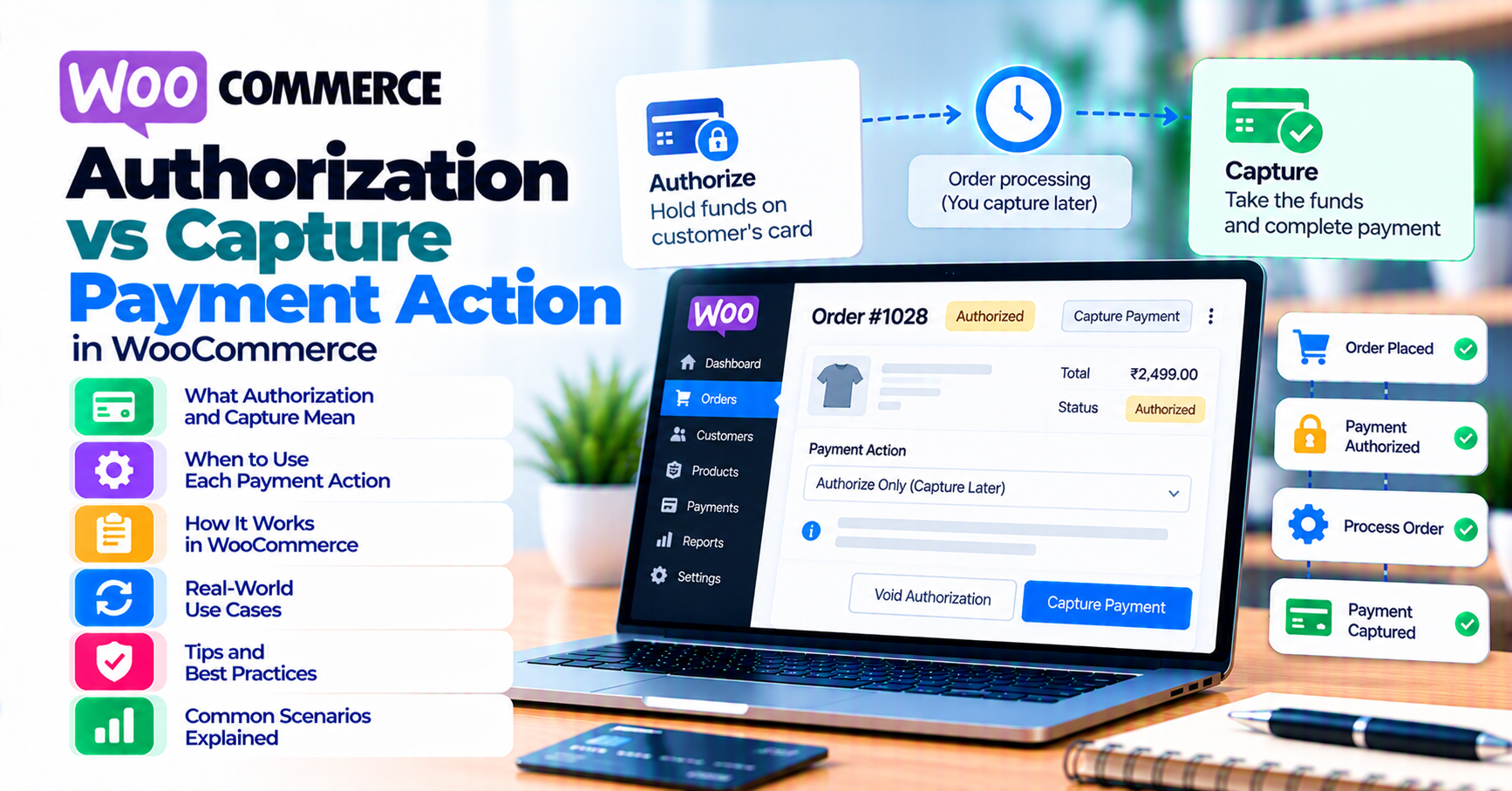
Payment action determines when funds move: authorize only (hold), capture later, or authorize and capture in one step (sale). WooCommerce displays order status; your gateway ledger shows authorization, capture, and settlement timestamps. Those signals must map predictably or support tickets explode—“customer was charged” versus “pending” in admin.
This article is for merchants and agencies who need a shared vocabulary with finance. It complements webhook monitoring, WooCommerce payment gateway integration checklist, and refunds and voids reconciliation.
Quick answer
Choose auth and capture separately when inventory is uncertain, custom amounts finalize later, or fraud review delays shipment. Use immediate capture (sale) when digital delivery is instant and policies allow. Document which WooCommerce status maps to which gateway event—then test partial captures in sandbox. Never promise customers that a “pending” order means money has not moved until you know your processor’s labels.
1. Core terms
| Term | Meaning |
|---|---|
| Authorization | Reserve funds (hold); may expire if not captured. |
| Capture | Pull authorized funds into the settlement pipeline. |
| Void | Cancel authorization before capture (not always available). |
| Sale | Auth and capture combined in one request (naming varies by processor). |
Processor APIs use different words—map their docs to your plugin settings and keep a one-page cheat sheet for the team.
2. Why merchants use auth + capture
- Pre-orders or made-to-order manufacturing.
- Hotels and services with damage deposits.
- High fraud-risk verticals where manual review is normal.
- B2B orders where final tax or freight is calculated after authorization.
Tradeoff: longer authorization windows and customer confusion if holds look like double charges on banking apps—clear email and SMS copy helps. For invoice-heavy flows, also read B2B invoicing vs card checkout.
3. WooCommerce order states and gateways
Processing and completed mean different things depending on the plugin. Verify:
- Does “processing” mean authorized only or captured?
- What webhook event moves status to completed?
- Does a failed capture leave the order stranded in on-hold?
Misconfiguration strands orders in on-hold while the gateway shows captured—common gateway mistakes. If you use HPOS (High-Performance Order Storage), confirm meta fields used for gateway references still sync with your reporting tools.
4. Settlement timing vs capture
Capture means your processor accepted the funds toward settlement; deposit to your bank account follows a separate schedule (T+1, T+2, etc.). Finance reports should not treat “captured today” as “cash in bank today” unless your treasury process says so.
Cross-border and multi-currency settlements add FX timing—pair with international payments if your catalog serves multiple regions.
Operational nuance: Some gateways show “submitted for settlement” as a distinct step. If your ERP integration keys off WooCommerce status only, you may recognize revenue before the processor finalizes batch settlement—confirm with your accountant against ASC 606 or local GAAP expectations for your entity.
5. Partial capture and partial refund
Subscriptions and split shipments often need partial capture. Test in sandbox:
- Partial capture then void or capture the remainder.
- Refund after partial capture—ledger order matters for accounting.
- Subscription renewals: ensure the renewal charge uses the same payment action model as the first order unless your processor documents otherwise.
6. Reconciliation checklist
- [ ] Daily export: authorized but not captured over N days (stale holds).
- [ ] Match WooCommerce total to gateway capture amount per order ID.
- [ ] Train support: never promise instant refund timing—chargebacks vs refunds.
- [ ] After major plugin updates, spot-check ten orders for status ↔ gateway parity.
Digital wallets: Apple Pay and Google Pay may present as “instant” to the customer while your backend still uses auth/capture if the gateway is configured that way—digital wallets. Wallet tokens do not remove the need to reconcile captures; they change how card data is presented, not necessarily when money moves.
Reporting exports: If you push WooCommerce orders to a data warehouse nightly, ensure capture events from webhooks append as separate facts rather than overwriting the initial authorization row—otherwise finance sees duplicate revenue on re-import.
Pre-orders: If you authorize early but capture at ship date, align customer communications: “card authorized, charged when shipped” beats silent holds that look like duplicate charges in banking apps.
FAQ
Does auth + capture reduce chargebacks?
Not automatically—clear descriptor and delivery proof matter more for many disputes.
Can I switch from sale to auth+capture mid-life?
Requires processor approval and plugin support—plan a cutover like a mini migration.
Who owns stale authorizations?
Operations should own a weekly report; finance should define when to void vs capture to avoid end-of-month surprises.
Do marketplaces or multi-vendor setups change payment action?
Often yes—split payouts and platform fees can require auth/capture patterns that differ from simple retail. Validate with your marketplace plugin and processor program type before go-live.