Quick answer
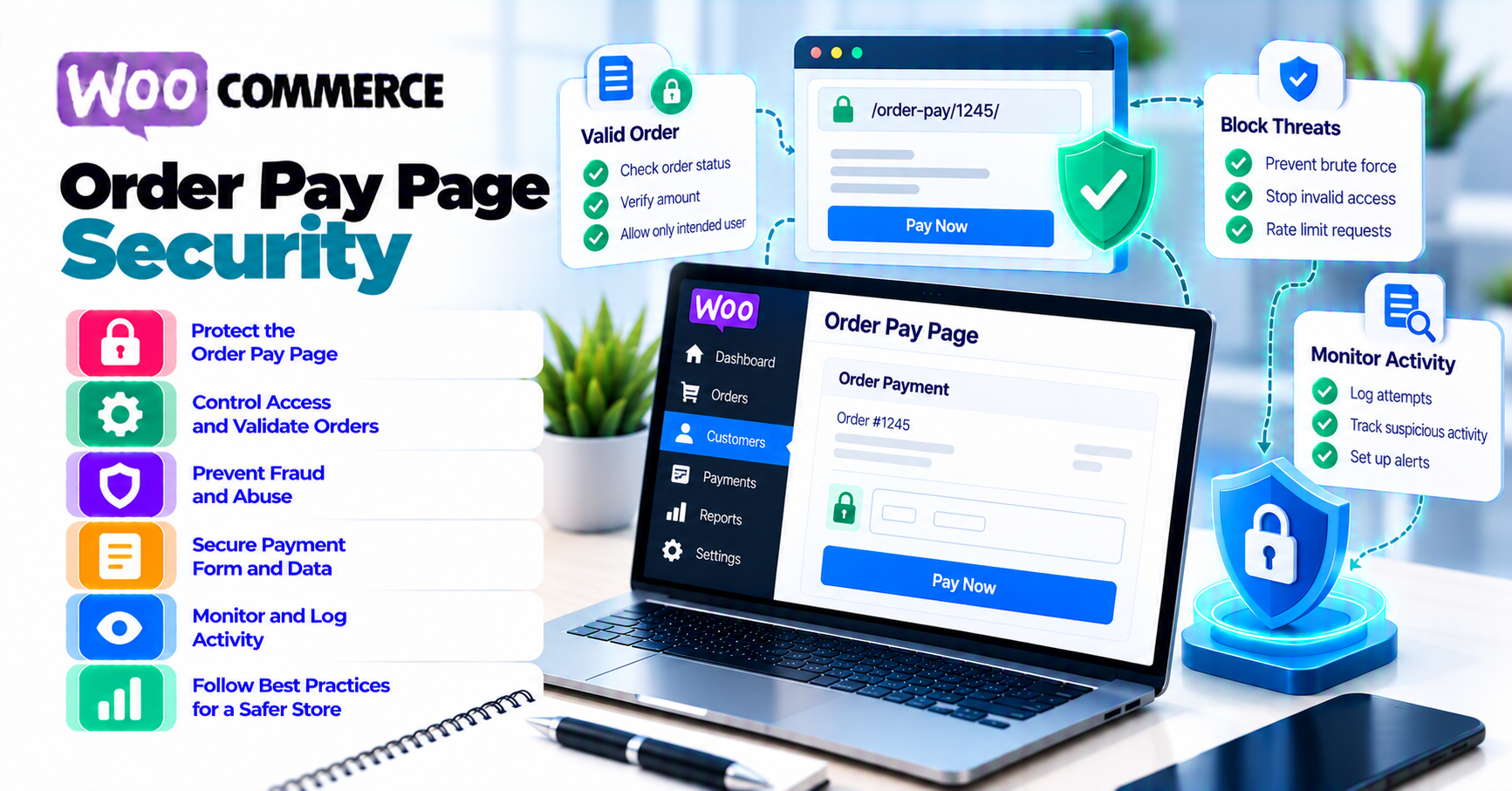
The WooCommerce order pay page lets an eligible order be paid outside the original checkout session. It is useful for Pending payment orders, failed-payment recovery, manual renewals, and support-assisted payment.
Treat the link as sensitive:
- Generate it through WooCommerce—never assemble it by hand.
- Confirm the order still needs payment.
- Reconcile the original gateway attempt before offering another payment.
- Send the link through the customer’s authenticated account, WooCommerce invoice email, or another controlled channel.
- Preserve WooCommerce’s order-key and customer-verification checks.
- For registered-customer orders, require the correct account.
- For guest orders, preserve current billing-email verification behavior.
- Exclude order-pay from shared caches and sensitive URL collection.
- Test wrong key, wrong customer, wrong email, already-paid, duplicate-tab, 3-D Secure, and webhook cases.
- Close the recovery path when the order no longer needs payment and define a reviewed custom expiry or revocation policy if the business requires one.
Do not post a payment link in public chat, a public ticket, analytics, or screenshots. Do not tell a shopper to use it while the original payment outcome is unknown.
What the order-pay page is
WooCommerce’s endpoint documentation lists the checkout pay-page endpoint:
/order-pay/{ORDER_ID}
The working URL also contains order-specific query context generated by WooCommerce.
WooCommerce’s Paying for Orders documentation says each order can accept one payment and describes several supported entry points:
- Standard cart and checkout
- Pay for this order link in the Order Invoice email
- Pay action in the customer’s My Account → Orders
- Customer payment page link in the order’s admin detail page
Use those supported sources. Do not copy a URL pattern from another store and substitute an order ID.
When it is appropriate
Typical uses:
- Pending payment order
- Confirmed failed payment
- Manual renewal order
- Admin-created order awaiting customer payment
- Supported recovery after authentication abandonment
It is not a general-purpose payment link for arbitrary amounts. The URL belongs to one WooCommerce order and its current state.
When it is not appropriate
Do not send a new order-pay link because:
- A browser timed out and nobody checked the provider.
- A successful provider payment is waiting for its webhook.
- The order is already paid.
- The order was canceled or refunded and policy does not permit payment.
- Stock, total, currency, customer, or gateway state is wrong.
- Support wants a shortcut around account verification.
Use PatSaTECH’s payment-failure recovery guide after the result is known.
Understand current WooCommerce checks
Current behavior matters more than old tutorials.
Order ID plus order key
WooCommerce’s current WC_Shortcode_Checkout::order_pay() source loads the order and checks that:
- The order exists.
- The requested order ID matches.
- The submitted order key matches the order’s key using a timing-safe comparison.
A guessed order ID alone is not enough.
Do not weaken or bypass the key check in a theme or support customization.
Registered-customer ownership
The current flow checks the pay_for_order capability. WooCommerce’s customer-verification documentation says that when an order belongs to a registered customer and the customer follows the payment link while logged out, they are prompted to log in before reaching the payment form.
Support should not change the order to Guest merely to avoid login. Correct account and order ownership instead.
Guest email verification
WooCommerce currently documents that when an order belongs to a Guest, a person following the payment link more than 10 minutes after order creation is prompted to verify the billing email before continuing.
The source also uses a guest-email verification check before rendering the order-pay form when the current user cannot be matched.
Important:
- The email check does not convert the guest order into a customer-account order.
- The 10-minute threshold is not the same as saying the link expires.
- Do not remove the verification because a customer finds it inconvenient.
- Test the exact WooCommerce version and active session behavior.
Payment eligibility
The current source checks needs_payment(). If the order no longer needs payment, WooCommerce reports that its status cannot be paid.
That protects against normal replay after successful payment, but it does not replace gateway idempotency, webhook deduplication, or reconciliation of an unknown attempt.
Stock checks
For failed orders, WooCommerce checks whether order items remain in stock before allowing payment. Pending orders are handled differently because stock may already be held.
Do not override this check to collect money for inventory the store cannot fulfill.
Threat-model the recovery link
Consider how the link can be exposed or misused.
Link disclosure
Possible leakage:
- Public helpdesk ticket
- Shared team chat
- Screenshot
- Browser history on a shared device
- Analytics collecting full URLs
- Reverse-proxy logs
- Referrer headers
- Email forwarding
- Screen recording
An order key is not card data, but it participates in payment-page access. Treat it as sensitive.
Order enumeration
Sequential order IDs can be guessed. The order-key and customer checks are the controls that prevent an ID from becoming sufficient.
Do not return different public error detail that helps an attacker learn whether an order ID, email, or key is valid.
Link replay
After payment, needs_payment() should stop ordinary reuse. Risks remain when:
- Payment succeeded at the provider but WooCommerce is still Pending.
- Two tabs submit near-simultaneously.
- A custom gateway creates a fresh provider payment every time.
- Webhooks are delayed.
- Staff manually changes the order state.
Reconcile before retry and require idempotent gateway behavior.
Wrong customer
Risk cases:
- Registered order sent to another person
- Guest order with forwarded email
- Billing email typo
- Support changes ownership without audit
- Logged-in user follows a guest link with another billing email
Use supported correction and verification paths. Do not disclose order details while trying to identify the requester.
Cache and stale content
Shared cache can expose:
- Another shopper’s order details
- Stale payment methods
- Old totals
- An already-paid form
Exclude order-pay, checkout, My Account, and dynamic payment endpoints from shared page caching.
Issue and share links safely
1. Confirm eligibility
Before sending:
- Order exists.
- Total and currency are correct.
- Customer and billing email are correct.
- Stock or fulfillment remains available.
- Order status can be paid.
- Gateway is enabled and compatible.
- No successful, authorized, processing, or unknown original payment exists.
- No competing automated retry is active.
2. Generate from WooCommerce
Use:
- Order Invoice email
- Customer My Account order action
- Customer payment page link from the admin order
Avoid:
- Handwritten URLs
- URL shorteners
- Third-party link trackers
- Copying another order’s URL
3. Verify the requester before sharing
Support can verify non-sensitive context such as:
- Authenticated customer account
- Order number
- Billing email through the supported verification flow
- Store-approved support checks
Never ask for full card details or a card image.
4. Use a controlled channel
Prefer:
- WooCommerce transactional email
- Authenticated My Account
- Access-controlled support ticket
Avoid:
- Public comments
- Social media
- Shared chat rooms
- Search-indexable pages
5. Use neutral copy
Example:
Your order still needs payment. Use the secure payment link below. If you already see a pending or completed charge, do not pay again—contact us with the order number.
Do not guarantee that no authorization exists until the gateway has been reconciled.
Reconcile payment state before recovery
An order-pay link can create a second attempt. First determine what happened to the original.
Check:
- WooCommerce order notes and status
- Gateway request or transaction ID
- Provider dashboard or retrieval API
- Authorization, capture, processing, failure, or canceled state
- Webhook delivery
- Existing refund or void
- Automated subscription retry
Decision table
| Original provider state | Order-pay action |
|---|---|
| Captured or succeeded | Do not send; reconcile WooCommerce |
| Authorized, not captured | Capture or void according to policy; do not create another payment |
| Processing or pending | Wait and monitor |
| Requires customer authentication | Resume the original flow when supported |
| Terminal failure with no financial effect | Link may be appropriate |
| No provider object and confirmed no submission | Link may be appropriate |
| Unknown result | Do not send yet; escalate and retrieve |
Idempotency
Stripe’s idempotent-request documentation shows how a provider can safely recognize a repeated create or update request when the same idempotency key and parameters are used.
A fresh click on order-pay is not automatically the same idempotent request. The gateway extension must implement duplicate prevention correctly.
Payment lifecycle
Stripe’s PaymentIntent lifecycle is one provider-specific example of states such as requires action, processing, requires capture, succeeded, and canceled.
Other providers differ. Translate the actual state rather than assuming every unsuccessful browser return is a decline.
Use PatSaTECH’s duplicate-payment guide when two attempts or bank entries exist.
Control the link lifecycle
Define ownership for:
- Issuance
- Delivery
- Verification
- Payment
- Closure
- Audit
- Exceptional revocation
State-based closure
The order-pay form should stop when the order no longer needs payment.
Verify closure after:
- Successful payment
- Admin capture reconciled to WooCommerce
- Cancellation
- Refund or void where payment is no longer appropriate
- Order replacement
- Stock no longer available
- Fraud or support hold that prohibits payment
Do not assume automatic expiry
WooCommerce’s documented guest email-verification threshold does not mean the order-pay link itself expires after 10 minutes.
If the business requires time-limited recovery links:
- Use reviewed custom code or a supported extension.
- Define expiry in relation to order status and gateway state.
- Preserve login, email, order-key, and
needs_payment()checks. - Provide a safe way to request a new link.
- Test old-link rejection.
- Avoid invalidating a link while a payment is processing.
Do not implement expiry by deleting the order or changing the URL in a way that bypasses WooCommerce.
Revocation
Use supported order and customer workflows. If a key or link is exposed, involve a qualified WooCommerce developer to invalidate or replace access safely.
Do not publish instructions that encourage direct database editing of order keys.
Audit
Record:
- Who issued or shared the link
- Channel
- Time and timezone
- Order status at issuance
- Gateway reconciliation result
- Customer verification path
- Payment outcome
- Closure or exceptional revocation
Do not store the full link in broad-access audit logs.
Keep caching, analytics, and support safe
HTTPS
Payment recovery must use the canonical HTTPS store. Follow PatSaTECH’s SSL and insecure-checkout guide for HTTPS, reverse-proxy, and mixed-content problems.
Caching
Exclude:
- Checkout endpoints
- Order-pay
- Order received
- My Account
- Store API and payment AJAX paths
Test authenticated, guest, mobile, and private-window behavior.
Analytics and logs
Do not collect full order-pay URLs in:
- Analytics page paths
- Session replay
- Error-reporting breadcrumbs
- Chat transcripts
- Marketing automation
- Public logs
Redact query values and order keys while retaining safe order and request references.
WAF and challenges
Shopper browsers can complete some WAF challenges, but order-pay also involves payment SDKs, AJAX, wallets, 3-D Secure, and provider returns.
Test:
- Link opens
- Login or email verification works
- Payment fields load
- Authentication returns correctly
- Webhooks reach the site
Do not solve a broken WAF rule by disabling signature verification or security across the whole site.
Support macros
Create approved macros for:
- Registered customer must log in
- Guest email verification
- Order already paid
- Payment outcome being checked
- New link request
- Wrong billing email
- Stock unavailable
- Gateway temporarily unavailable
Support should not manually change order status to make a link work.
Test the complete recovery flow
Use staging and provider sandbox data.
Identity and link tests
- Valid registered order while logged in
- Registered order while logged out
- Different logged-in user
- Valid guest order in active session
- Guest link after the documented email-verification threshold
- Correct guest billing email
- Incorrect guest billing email
- Missing key
- Wrong key
- Wrong order ID
- Copied link after ownership change
State tests
- Pending payment
- Confirmed failed payment
- Already paid
- Processing at provider
- Authorized but uncaptured
- Canceled
- Refunded
- Stock unavailable
- Total or currency corrected before payment
Concurrency and duplicate tests
- Same link in two tabs
- Double-click Pay
- Browser refresh during processing
- Slow network
- Webhook delayed
- Duplicate webhook
- Original payment succeeds after a new attempt is considered
Confirm one financial effect and one fulfillment effect.
Gateway and authentication tests
- Supported gateway visible
- Unsupported gateway hidden
- 3-D Secure frictionless
- 3-D Secure challenge
- Authentication abandonment
- Redirect return
- Documented decline
- Webhook completion
Use PatSaTECH’s 3-D Secure guide for authentication behavior and webhook monitoring for async completion.
Cache and privacy tests
- Shared cache cannot serve order details
- Analytics redacts sensitive URL fields
- Referrer behavior does not expose the full recovery link to unrelated third parties
- Logs contain safe references only
- Transactional email reaches only the intended address
Record version, browser, checkout type, order type, gateway mode, expected result, actual result, and evidence.
FAQ
What is the WooCommerce order-pay URL?
WooCommerce documents /order-pay/{ORDER_ID} as the checkout pay-page endpoint. Use the official URL generated for the order, including its required order-specific context.
Can anyone with the payment link pay a guest order?
Current WooCommerce documentation includes guest billing-email verification when a payment link is followed more than 10 minutes after order creation, unless the active session identifies the shopper. Preserve this behavior and verify the exact version.
Does the order-pay link expire after 10 minutes?
The documented 10-minute behavior triggers guest email verification; it is not described as link expiry. If time-limited links are required, implement and test an explicit supported policy.
Can a registered customer pay while logged out?
Current WooCommerce documentation says they are prompted to log in before continuing to the payment form.
Why does the page say the order cannot be paid?
The key or order can be invalid, the user may lack permission, the order may no longer need payment, the status may be ineligible, stock may be unavailable, or a customization may interfere. Do not bypass the check without identifying the cause.
Is an order key a password?
It is an order-specific secret used as part of URL validation, but it is not a customer account password. Protect it from broad disclosure and keep the account/email checks.
Should support send a link after a timeout?
Only after reconciling the original provider payment. If the first attempt is captured, authorized, processing, or unknown, another payment can create a duplicate.
Can I shorten or track the link?
Avoid public URL shorteners and marketing trackers. They add another party that can receive the sensitive URL and can interfere with attribution, expiry, or troubleshooting.
What happens after successful payment?
WooCommerce and the gateway should update the order so it no longer needs payment. Verify the provider result, webhook, order status, stock/access, email, and fulfillment exactly once.
Sources
Primary sources accessed September 20, 2026:
- WooCommerce developer docs — Understanding WooCommerce endpoints
- WooCommerce — Paying for Orders
- WooCommerce — Order Statuses
- WooCommerce Code Reference —
WC_Shortcode_Checkout - WooCommerce source reference — order-pay checks
- Stripe API Reference — Idempotent requests
- Stripe Docs — PaymentIntent lifecycle
This article provides general operational guidance. Verify order-pay behavior, customer checks, gateway state, caching, and customizations on the exact WooCommerce and extension versions used by the store.