Quick answer
When a WooCommerce Action Scheduler renewal payment failed, do not start by clicking Run on every Pending or Failed action.
First determine which layer failed:
- Scheduling: Does the expected renewal action exist for the subscription?
- Queue execution: Is the action future, overdue Pending, In-progress, Failed, or Complete?
- Renewal callback: Did WooCommerce create or find the renewal order and call the gateway?
- Gateway outcome: Was the payment captured, authorized, processing, declined, or never created?
- Asynchronous completion: Did the provider webhook update the order and subscription?
- Retry system: Is a separate failed-payment retry pending, already running, complete, or failed?
Use this sequence:
- Freeze manual and bulk retries.
- Capture the subscription, renewal order, action, log, token, gateway, and webhook references.
- Inspect WooCommerce → Status → Scheduled Actions.
- Classify the exact action state.
- Check whether the whole queue is delayed or one callback failed.
- Reconcile the provider-side payment before reprocessing.
- Fix the root cause.
- Reprocess one controlled action only when the duplicate-charge risk is understood.
- Verify order, subscription, next-payment date, emails, webhooks, and gateway state.
A Complete action can still lead to a failed renewal payment. A Failed action can have reached the gateway before PHP timed out. Queue status is evidence—not the financial source of truth.
Map the renewal pipeline
WooCommerce’s Subscription Renewal Process documentation distinguishes:
- Automatic renewal: the recurring payment runs without customer intervention.
- Manual renewal: the customer logs in and pays the renewal order through checkout.
This guide focuses on automatic renewals that depend on scheduled background work.
The expected path
- The subscription reaches its next-payment date.
- Action Scheduler runs the renewal hook.
- WooCommerce Subscriptions creates or uses the renewal order.
- The gateway attempts the recurring charge using the stored payment relationship or token.
- The gateway returns a result and may send asynchronous events.
- WooCommerce updates the renewal order and subscription.
- Subscriptions calculates the next date and sends the appropriate emails.
Each arrow can fail independently.
Do not call every renewal problem an Action Scheduler problem
| Symptom | Likely layer |
|---|---|
| No action exists near the due date | Subscription schedule or action creation |
| Many unrelated actions are overdue Pending | Queue runner, WP-Cron, loopback, hosting, or resource issue |
| One action is Failed with a PHP error | Callback code, plugin conflict, memory, timeout, or data |
| Action is Complete but renewal order needs payment | Gateway decline, token, account, or post-payment logic |
| Gateway shows paid but order is Pending | Webhook or order mapping |
| A pending failed-payment retry exists | Subscriptions retry system, not necessarily the initial renewal action |
| Customer has manual renewal | No automatic gateway charge should be expected |
The existing PatSaTECH subscriptions and payment-gateway guide covers gateway fit, tokens, retry behavior, and launch requirements. This runbook begins after the store already has a subscription and a suspected queue problem.
Build one evidence pack
Investigate one affected subscription before widening the incident.
Record:
- Subscription ID and status
- Next-payment date, timezone, and whether renewal is automatic or manual
- Renewal order ID and status
- Payment method and gateway extension version
- Stored payment token reference or provider customer/payment-method ID, redacted
- Scheduled action ID
- Hook, group, status, scheduled date, claim ID, and attempts
- Full Action Scheduler log entries
- PHP fatal or gateway log at the same timestamp
- Provider request, payment, authorization, or transaction ID
- Provider-side state
- Webhook event and delivery state
- Automatic retry record, if any
- Customer emails already sent
- Manual actions already taken
Never copy full card data, security codes, API secrets, webhook signing secrets, or raw customer payloads into the incident record.
Correlate by timestamp and IDs
Use one timezone or label every timestamp. Match:
- Action Scheduler log
- WooCommerce order notes
- Provider request log
- Webhook delivery
- PHP or application log
Do not assume two entries within the same minute belong to the same attempt without the subscription, order, action, or transaction reference.
Classify the scheduled action
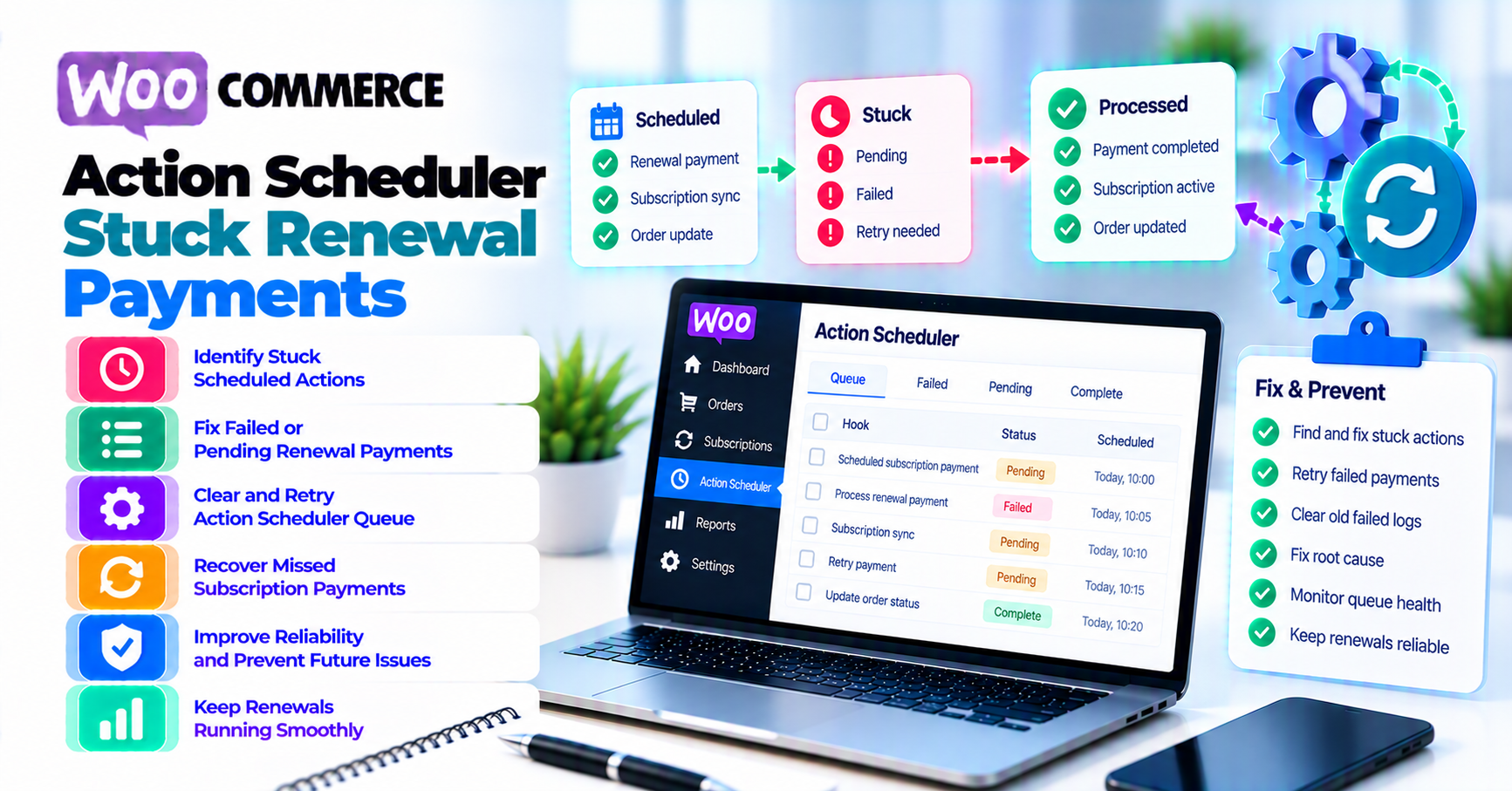
Action Scheduler’s administration documentation says the admin screen can run a Pending action, filter by statuses such as Failed or In-progress, view an action’s log entries, sort by hook, date, group, claim ID, or status, and search by hook, arguments, action ID, or claim ID.
With WooCommerce installed, open:
WooCommerce → Status → Scheduled Actions
Search by the subscription or renewal order reference where the stored arguments allow it. Also inspect the renewal hook and nearby actions.
No expected action
Possible causes:
- Subscription is manual, canceled, expired, paused, or otherwise not due.
- Next-payment date changed.
- Required scheduled action was never created.
- An earlier process removed or rescheduled it.
- Data migration or plugin conflict broke schedule creation.
Do not manually create a charge from the absence of an action. Confirm subscription status, next-payment date, billing schedule, gateway mode, and official repair procedure.
Pending with a future date
It is not stuck merely because it is visible. Compare the scheduled UTC time with the store timezone and current time.
Do not run future renewals early unless the documented test or operational process explicitly requires it.
Pending and overdue
Check scope:
- One overdue action suggests action-specific data or claim behavior.
- Many overdue actions across emails, webhooks, and renewals suggest queue-runner health.
- Only renewal actions overdue can indicate slow or failing renewal callbacks.
Record the age of the oldest due action and backlog growth. Do not bulk-run the queue before understanding what financial work it contains.
In-progress
A recent In-progress action may still be running. Check:
- Claim ID
- Start time
- Action log
- PHP workers
- Database locks
- Gateway request timing
A stale-looking claim can follow a killed process or timeout, but forcibly releasing or rescheduling it without gateway reconciliation can create a second charge.
Failed
Read the action log before doing anything.
Action Scheduler’s main documentation explains that it keeps action logs in its logging store and administration interface. It also notes an important edge case: an action that runs beyond its timeout can be marked Failed, then later become Complete if its callbacks finish successfully.
That means:
- Failed does not prove no gateway request happened.
- Failed does not prove no payment was captured.
- Failed does not mean “click Run again now.”
Complete
Complete means the scheduled callback finished from Action Scheduler’s perspective. It does not guarantee the gateway approved the renewal.
Inspect:
- Renewal order notes and status
- Subscription status
- Provider payment result
- Webhook delivery
- Retry record
If payment failed cleanly, move to the configured payment-recovery process rather than debugging queue execution.
Check queue-runner health
WooCommerce Scheduled Actions documentation explains that scheduled actions cover background work such as subscription renewals and customer emails. The screen exposes Pending, In-progress, and Failed actions plus logs.
Check whether the problem is global
Look for:
- Oldest overdue Pending action
- Backlog growth by hour
- Failed actions across unrelated hooks
- Repeated fatal error
- Many In-progress actions with stale claims
- Database or lock errors
- Loopback failures
- Worker exhaustion
If only one subscription fails while other renewals complete, do not tune the global queue first.
Understand WP-Cron’s role
WordPress’s WP-Cron documentation explains that WP-Cron checks scheduled tasks on page loads rather than running continuously like a system cron daemon.
Action Scheduler’s default runner uses WP-Cron and can also initiate processing through admin-request shutdown handling. Investigate:
- Is
DISABLE_WP_CRONset? - If so, is a real system cron correctly calling WordPress?
- Is the site too low-traffic for timely WP-Cron triggering?
- Can the site make loopback requests?
- Is HTTP basic authentication blocking loopback?
- Are maintenance mode, firewall, or security controls interfering?
- Are PHP memory, execution time, workers, or database capacity exhausted?
Do not merely visit the homepage repeatedly and declare the scheduler fixed.
Avoid blind performance tuning
Action Scheduler’s performance documentation covers queue-runner thresholds and warns that aggressive increases can take a site down. Batch size and concurrency changes can also make similar renewal actions compete for database and gateway resources.
Before tuning:
- Measure the backlog and callback duration.
- Identify the slow hook.
- Test on staging with representative data.
- Confirm host limits.
- Coordinate with the extension vendor.
- Keep rollback and observability.
Use WP-CLI deliberately
Action Scheduler’s WP-CLI documentation supports filtering execution by hook and group. It uses woocommerce_scheduled_subscription_payment as an example renewal hook.
Do not run every due action on a live store merely because the CLI can. A qualified operator should:
- Filter to the intended hook, group, or action set.
- Start with a small batch.
- Watch gateway and order results.
- Stop on duplicate, timeout, or resource signals.
- Avoid overlapping web and CLI runners without a concurrency plan.
Reconcile the renewal order and gateway
Before reprocessing, answer whether the original attempt had a financial effect.
Confirm the renewal order
Check:
- Does the renewal order exist?
- Does it still need payment?
- Which payment method is assigned?
- Is the amount and currency correct?
- Are order and subscription statuses consistent?
- Are there duplicate renewal orders?
- Did customer emails already invite manual payment?
Confirm the token and account relationship
Automatic renewals usually depend on a provider-side token or billing relationship.
Verify:
- Token exists in the supported WooCommerce storage.
- Token belongs to the correct customer and merchant account.
- Live subscription does not reference a sandbox object.
- Gateway credentials still access the same provider account.
- Token was not detached, deleted, or made unusable.
- The gateway extension still supports the recurring feature.
PatSaTECH’s tokenization and saved-payment-method guide explains why tokens are provider-specific and why renewal tests matter after key or plugin changes.
Query the provider state
Use the gateway dashboard or documented retrieval API to inspect the original payment object.
For example, Stripe’s PaymentIntent lifecycle distinguishes states such as processing, requires action, requires capture, succeeded, and canceled. Other gateways use different objects and names.
Translate the actual provider state:
| Provider evidence | Reprocessing decision |
|---|---|
| Captured or succeeded | Do not charge again; reconcile WooCommerce and webhook state |
| Authorized, not captured | Follow capture/void policy; do not create a new payment |
| Processing or pending | Wait and monitor the original object |
| Requires customer action | Use the gateway-supported recovery path |
| Declined or terminal failure | Follow dunning/retry policy after confirming no financial effect |
| No object found but request uncertain | Escalate and inspect idempotency/request logs; still unknown |
Check webhooks
A renewal action can call the gateway successfully while WooCommerce misses the asynchronous update. Correlate the provider event, delivery result, gateway log, order note, and subscription status.
Use PatSaTECH’s webhook-monitoring guide for delivery, signature, latency, and replay evidence.
Separate initial renewal from failed-payment retry
WooCommerce Subscriptions has a separate automatic failed-payment retry system.
WooCommerce’s store-owner retry documentation says the retry system is off by default. When enabled and applicable, it can create a Pending retry after an automatic renewal payment fails, change order and subscription statuses, and send configured emails.
The documentation also says retries apply only under specific conditions, including an automatic recurring payment and a gateway where Subscriptions controls the schedule. Not every gateway or payment method follows the same path.
Identify which action you are looking at
Possible actions include:
- Initial scheduled renewal payment
- Failed-payment retry
- Subscription expiration or trial-end action
- Customer email
- Webhook delivery
- Another plugin’s follow-up job
Do not run a retry action as if it were the original renewal.
WooCommerce’s developer retry guide documents the scheduled_subscription_payment_retry hook and explains how the retry manager checks whether the renewal order still needs payment before processing.
Retry status has its own lifecycle
The store-owner documentation describes retry records as:
- Pending before the scheduled retry
- Complete when payment succeeds
- Failed when the renewal order still needs payment
Inspect the renewal order’s retry history before manually charging or running another action.
Avoid stacked recovery
Do not combine:
- Automatic failed-payment retry
- Manual Action Scheduler run
- Staff charging in the provider dashboard
- Customer paying the order-pay page
- Gateway-side smart retries
without one owner and a documented sequence. Multiple recovery mechanisms can race.
PatSaTECH’s payment-failure recovery guide covers customer messaging and dunning after a confirmed failure.
Use the safe reprocessing gate
Reprocess only when every gate passes.
Gate 1: Identify one logical renewal
- One subscription
- One intended billing period
- One renewal order
- One action or documented replacement action
- One incident owner
Stop if duplicate renewal orders or overlapping retries exist.
Gate 2: Prove the original gateway outcome
Confirm the original attempt is:
- Terminal and non-successful, or
- Being safely resumed through the gateway’s documented idempotent mechanism
Do not reprocess while a payment is captured, authorized, processing, or unknown.
Gate 3: Fix the root cause
Examples:
- Restore queue runner or system cron.
- Resolve loopback or PHP fatal error.
- Correct live versus sandbox credentials.
- Restore a valid token through a supported customer flow.
- Fix webhook delivery.
- Update the extension after verified compatibility testing.
- Increase capacity only after measurement.
Gate 4: Ensure no competing retry
Check:
- Pending retry record
- In-progress action
- Customer order-pay link
- Gateway smart retry
- Staff dashboard action
- Duplicate action with the same subscription and billing period
Pause or coordinate the competing path using supported controls.
Gate 5: Run one controlled recovery
For a Pending action, the Scheduled Actions screen can provide Run. Use that only after the earlier gates pass.
For a Failed action, do not edit Action Scheduler database rows or flip the status back to Pending. Follow WooCommerce Subscriptions or extension support guidance to create the correct recovery action or process the renewal through a supported path.
Gate 6: Verify the full outcome
Confirm:
- One provider payment result
- One paid or failed renewal order outcome
- Correct subscription status
- Correct next-payment date
- Expected stock, access, license, and email behavior
- No duplicate webhook or fulfillment effect
- Action and retry logs reflect the recovery
Record the evidence and rollback or customer-remediation plan.
Test and monitor recovery
Use staging, WooCommerce Subscriptions test controls, and provider-supplied sandbox data. Do not create renewal tests with invented cards on live payment rails.
Test cases
- Automatic renewal succeeds.
- Gateway returns a documented decline.
- Payment remains processing.
- Gateway succeeds but webhook is delayed.
- Renewal callback throws a PHP error before gateway submission.
- Callback times out after gateway submission.
- WP-Cron is delayed.
- Queue contains unrelated overdue actions.
- Failed-payment retry is Pending.
- Customer pays manually while an automated retry is near.
Pass criteria
- One renewal order per billing period
- One financial effect
- Correct action, order, subscription, and retry statuses
- Token and gateway account remain aligned
- Duplicate event is a safe no-op
- Customer receives the intended email once
- Next-payment date follows the configured renewal policy
- Support can explain the result from IDs and timestamps
Monitoring
Alert on:
- Oldest overdue Pending action
- Failed renewal-action count
- Stale In-progress claims
- Queue growth rate
- Renewal orders needing payment after Complete actions
- Provider success with WooCommerce Pending
- Duplicate renewal orders or transaction IDs
- Automatic retry volume and success
- PHP fatal errors by renewal hook
After a gateway outage, automatic retries can create a catch-up burst. Use payment-gateway outage resilience to coordinate capacity, customer messaging, and duplicate-risk monitoring.
FAQ
Is every Failed Action Scheduler renewal safe to rerun?
No. The callback may have reached the gateway before timing out, and Action Scheduler documents that a timed-out action can later move from Failed to Complete. Reconcile the provider before any retry.
What does a Complete renewal action prove?
It proves Action Scheduler completed the callback. It does not prove the gateway approved the payment. Check the renewal order, subscription, provider object, and webhooks.
Why are many scheduled actions overdue?
Possible causes include delayed WP-Cron, missing real cron when WP-Cron is disabled, loopback failures, authentication or firewall blocks, PHP limits, database locks, slow callbacks, or insufficient workers. Diagnose the queue before increasing concurrency.
Can I click Run on a Pending renewal?
The admin screen supports running Pending actions, but doing so can charge a customer. Use the reprocessing gate: identify the renewal, prove the original financial outcome, remove competing retries, fix the cause, and monitor one controlled run.
Should I delete Failed actions?
Not during triage. Their logs are evidence. Action Scheduler has retention and cleanup behavior, but deleting records before investigation removes the timeline without fixing the cause.
How do I tell an initial renewal from a failed-payment retry?
Inspect the hook, action arguments, renewal order, and retry history. WooCommerce documents the scheduled retry hook separately from the normal renewal process.
What if the subscription has no payment token?
Confirm whether the gateway uses a token, billing agreement, or another provider reference. Do not invent one. Use the supported customer payment-method update or manual renewal path and investigate why the reference is absent.
Should I process the whole queue with WP-CLI?
Not as a first response. WP-CLI supports filtered queue processing, but financial actions need narrow scope, controlled batches, gateway monitoring, and a concurrency plan.
Sources
Primary sources accessed September 20, 2026:
- Action Scheduler — Background Processing Job Queue for WordPress
- Action Scheduler — Scheduled Actions Administration Screen
- Action Scheduler — WP-CLI
- Action Scheduler — Background Processing at Scale
- WooCommerce — Scheduled actions
- WooCommerce Subscriptions — Renewal Process
- WooCommerce Subscriptions — Failed Recurring Payment Retry System
- WooCommerce Subscriptions — Developer Guide to Failed Recurring Payment Retry System
- WordPress Plugin Handbook — Cron
- Stripe Docs — How PaymentIntents and SetupIntents work
This article provides general operational guidance. Renewal hooks, schedules, retry rules, token models, gateway states, and safe recovery procedures vary by version and extension; follow current WooCommerce, gateway, host, and provider support instructions.